GreatAIPrompts
 Have you ever been crafting a creative prompt for Midjourney, excited to see the unique image it will generate, only to be stopped by an error message, “Failed to request POST due to non-JSON response”?
If you have experienced this, you’re not alone. This error typically arises when the server sends a response in a format that the Midjourney bot, running on Discord, doesn’t recognize or expect, leading to communication issues.
But don’t worry, you’re not stuck with this problem forever. In this blog post, we’re going to dive deep into what causes the “Failed to request POST due to non-JSON response” error in Midjourney.
So, let’s tackle this error!
Explained “Failed to request POST due to non-JSON response” Error in Midjourney
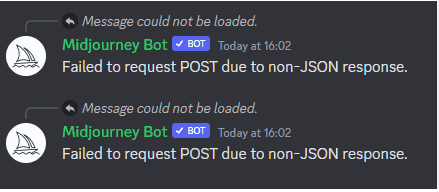
The "Failed to request POST due to non-JSON response" error in Midjourney occurs when Midjourney and the server try to communicate to each other.
In this case, Midjourney expects the server to respond in JSON. But sometimes, Midjourney gets a response in a different format, not JSON.
Midjourney can’t make your image when this happens, and it shows this error. It’s often because of a server problem or an update in Midjourney.
The best thing to do is to follow some of the ways given below and solve the Midjourney error.
How to Finally Fix “Failed to request POST due to non-JSON response” in Midjourney
Dealing with the Midjourney error, “Failed to request POST due to non-JSON response,” can be challenging, but there are steps you can take to try and resolve the issue.
This error generally indicates a communication problem between the server and the application, often related to the data format.
Here’s a how to fix this error in Midjourney:
Method 1: Checking Midjourney and Discord Server Status
The first thing to do is to confirm whether the issue is on your end or if it’s a broader problem with the Midjourney or Discord servers.
Visiting the Midjourney and Discord status pages will provide real-time updates on any technical difficulties or downtimes these servers might be experiencing. It’s like getting a traffic update but for servers.
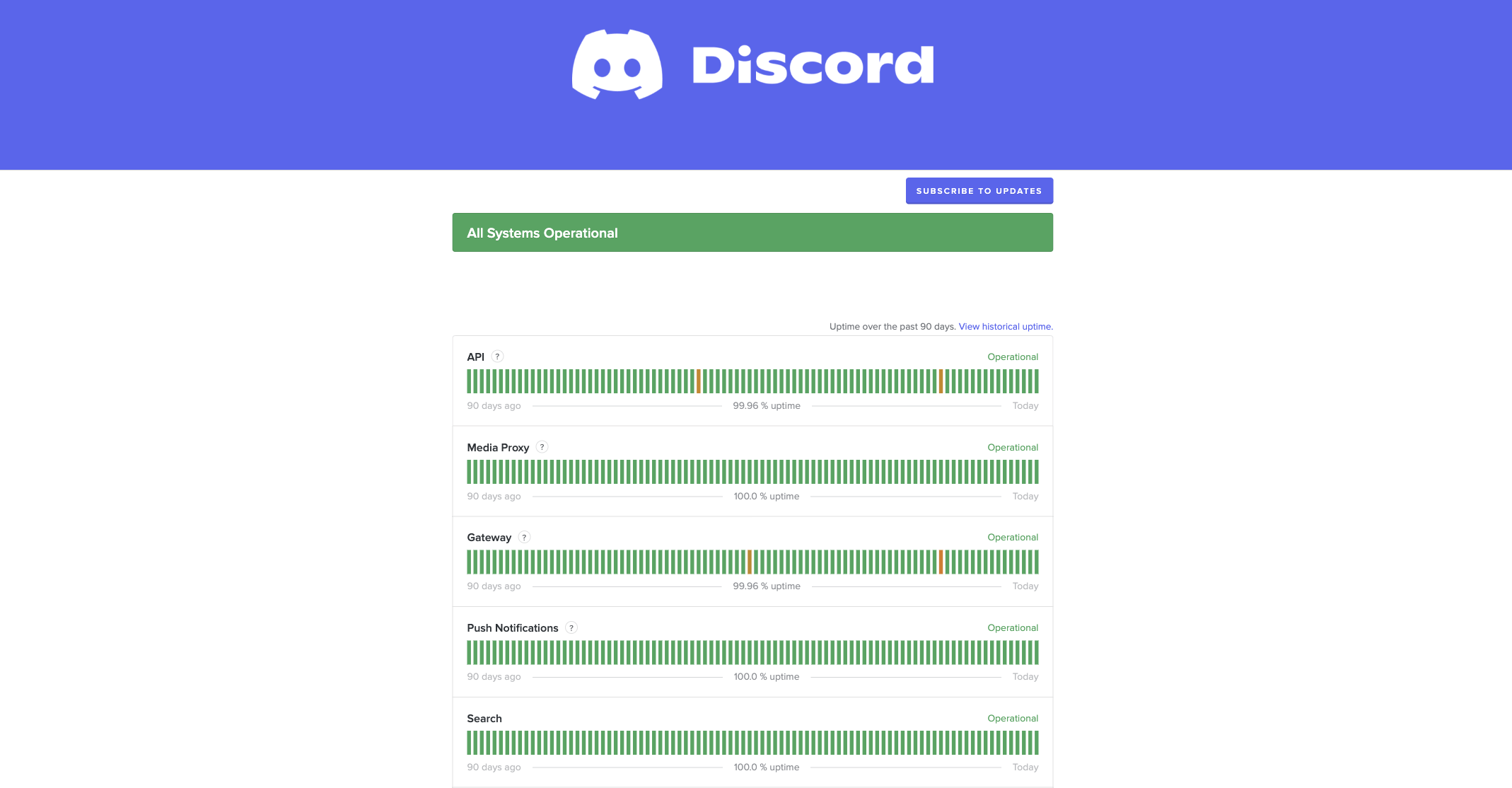
If there are notifications of problems on these pages, the issue is not specific to you.
These pages can also offer information about which services are impacted and might give an estimated time for resolution.
Method 2: Restarting Discord and Reinviting Midjourney Bot
If the server status shows everything is normal, the next step is to restart the Discord application.
This can help clear any temporary glitches that might be causing communication issues with the Midjourney bot.
After restarting Discord, you should consider reinviting the Midjourney bot to your server or chat. This process involves removing and adding the bot, effectively resetting its connection and settings.
Similar to rebooting a computer when acting up, this action can sometimes clear unseen issues and get things running smoothly again.
Method 3: Simplifying Your Prompt
In some cases, the complexity or length of your prompt might be causing the issue. If your prompt is too detailed or complicated, it could lead to misunderstandings by the bot, resulting in errors.
Try simplifying your prompt or breaking it into smaller, more manageable parts.
This is similar to having a conversation where you ask one question at a time instead of overwhelming the listener with too much information at once.
Method 4: Clearing Browser Cache and Cookies
If you’re accessing Midjourney through a web browser, outdated or corrupted cache and cookies can cause issues.
These files, saved by your browser, sometimes hold onto outdated data that conflicts with the current operations of websites like Midjourney or Discord.
Clearing these files forces your browser to fetch fresh data, which can resolve many types of errors. This step involves entering your browser settings and removing cache and cookies related to the sites in question.
Method 5: Contacting Midjourney Support
As a last resort, if none of the above steps work, contacting Midjourney’s support team can provide further assistance. Hit #support just above the newbies rooms in Discord to find support and ask anyone in the community to help you solve the Failed to request POST due to non-JSON response error. Or visit help.midjourney.com.
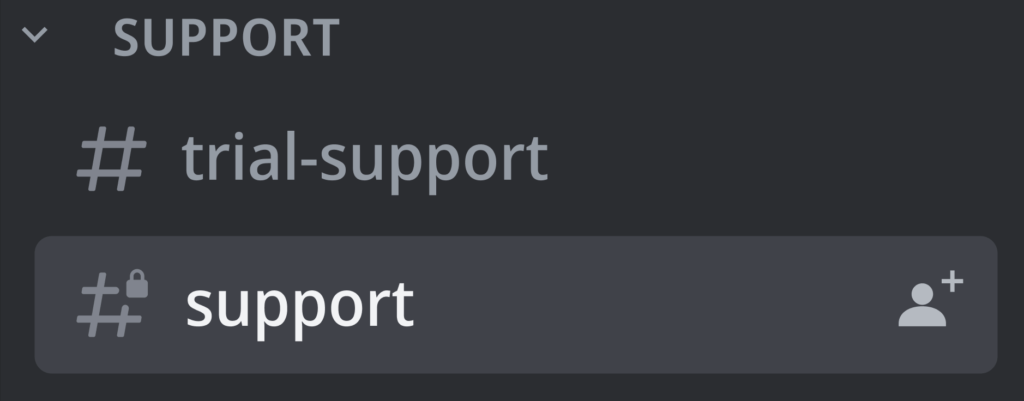
They can offer more targeted solutions based on the specifics of your issue.
Contacting support typically involves describing the problem, including the steps you’ve already tried, and waiting for their guidance or resolution.
The End
Remember the importance of server status checks, simplifying prompts, and, occasionally, just giving it some time.
With these insights, you’re better equipped to handle such errors and continue creating amazing images with Midjourney.
The post How to Fix Midjourney Error: “Failed to request POST due to non-JSON response” appeared first on GreatAIPrompts: AI Prompts, AI Tools & AI News.

 Turning Wrenches Blog » BMW Repair
 A Boomer's Life After 50 » Travel
  The Atlantic
  ForumWeb.Hosting
 ![Telegram briefly disappeared from the Apple App Store due to CSAM [u]](https://media.appleinsider.com/gallery/68451-144232-IMG_4877-xl.jpg)
 AppleInsider
 BGR Tech