Nextiva Blog
 Law firms lose prospective clients when calls reach voicemail, intake forms sit unanswered, or urgent matters lack a clear escalation path. An AI receptionist can answer calls around the clock, collect intake details, schedule consultations, and transfer sensitive matters to a human.
For legal intake, the best platform is the one that combines:
- Reliable 24/7 call coverage
- Firm-approved intake scripts and AI boundaries
- Human escalation for urgent or sensitive matters
- Calendar, CRM, and practice-management integrations
- Transcripts, summaries, and audit history
- Encryption, access controls, and appropriate vendor agreements
- Clear pricing and manageable implementation
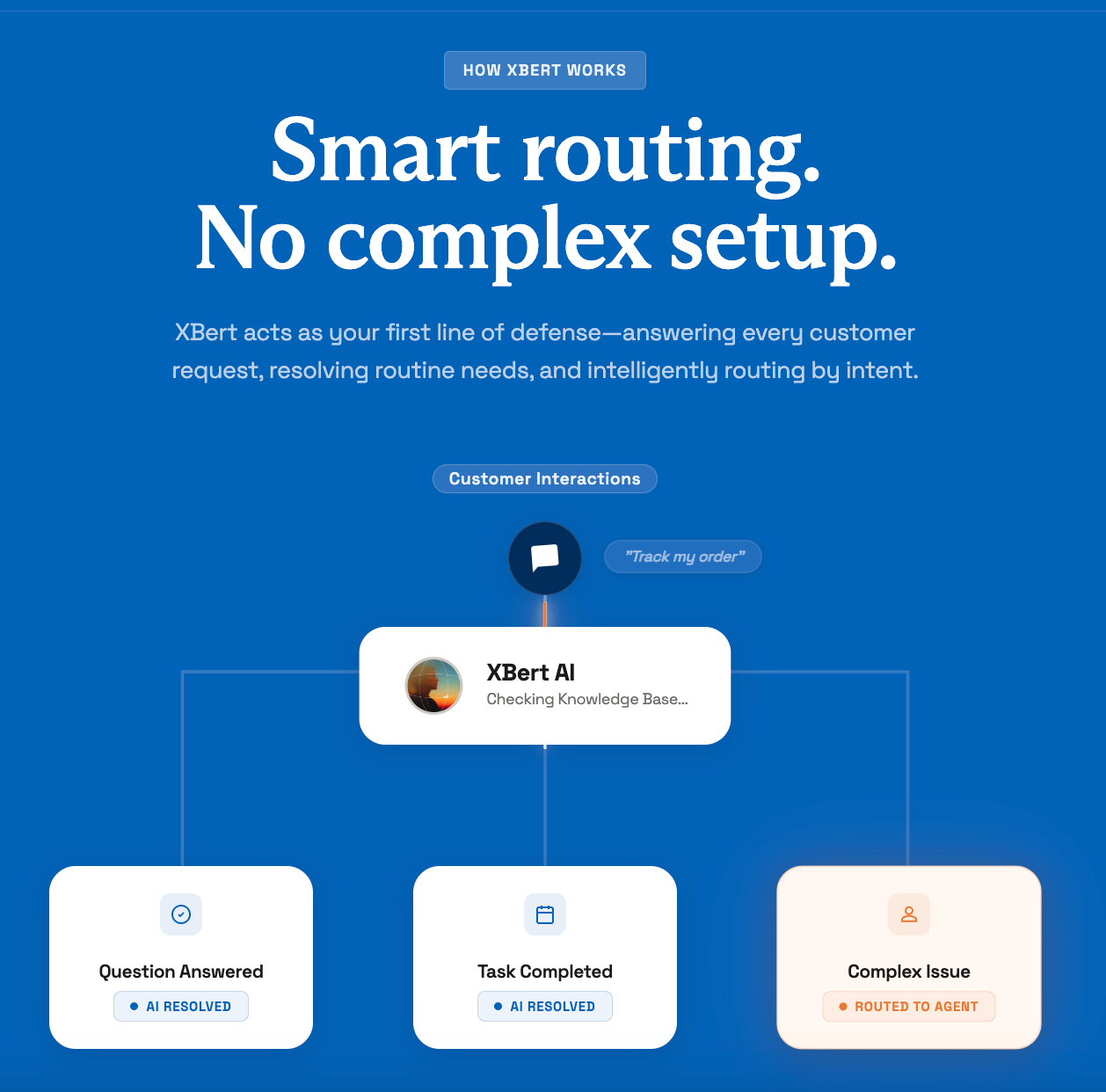
Nextiva’s XBert AI fits this model. It handles routine intake and scheduling while transferring complex or sensitive calls with the conversation transcript and context. Firms should still review state bar rules, privacy requirements, recording laws, and vendor agreements before deployment.
Try the best AI answering service free for 14 days
XBert AI answers questions and captures leads. Add your 24/7 answering service in minutes.
Why Law Firms Lose Revenue to Missed Calls
Nearly half of all law firms are unreachable by phone. The Clio 2024 Legal Trends Report reached this finding through a secret-shopper study across 500 law firms. Only 40% answered the phone, down from 56% in 2019. When firms that failed to return follow-up calls are included, 48% were unreachable.
A missed call can represent a lost consultation, a missed emergency, or a prospective client who contacts another firm.
The math of a missed consultation
Consider a single missed call from a prospective personal injury client. It is a contingency case that settles for $500,000. At a 33% fee, that missed opportunity could represent approximately $165,000 in firm revenue. A business litigation matter can also generate tens of thousands of dollars in billable work.
Estimate the cost of missed calls
Nextiva’s Missed Call Cost Calculator helps firms estimate the revenue they could recover with an answering service.
A prospect may not leave a voicemail. The prospect may call the next firm instead. Since 78% of clients hire the first firm that responds, a delayed response can end the opportunity.
How Much Do Missed Calls Cost You?
See how much lost revenue you can reclaim with Nextiva XBert® AI answering service. Compare different scenarios to grow the bottom line.
Administrative work and intake consume billable hours
The Thomson Reuters 2026 State of the U.S. Legal Market report found that nearly 90% of legal revenue still comes from time-based billing. Industry estimates place average attorney billable utilization at up to 40% of total hours worked.
The remaining time goes to administrative work, business development, and internal tasks. Every hour an attorney spends on intake or voicemail reduces time available for billable work. At $300 to $500 per hour, that administrative load can become a significant cost.
Why voicemail and web forms fall short
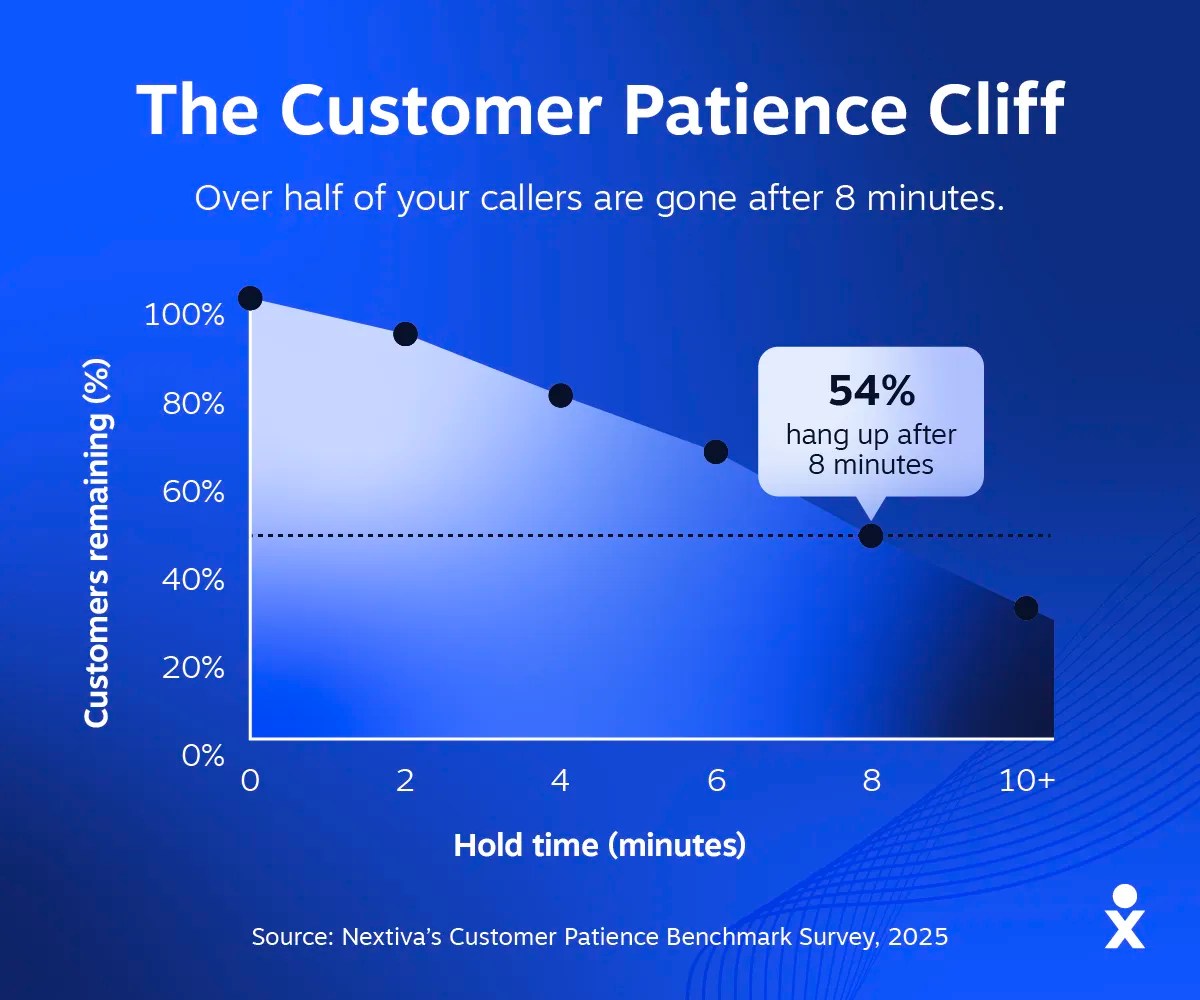
A prospective client in distress may not leave a voicemail. 80% of callers will hang up without leaving a message. Static web forms create a similar delay for someone who was in an accident, received legal papers, or needs an urgent consultation.
The Nextiva Customer Patience Benchmark found that approximately 75% of callers expect a response within five minutes. When that expectation is not met:
- 56% try another channel and may contact a competitor.
- 28% leave the business entirely.
An AI receptionist gives firms a way to answer immediately while preserving a human path for matters that require legal judgment.
Choosing a Legal Intake and Phone Platform
An AI receptionist manages the front desk. A business phone system manages the firm’s broader communications. A contact-center platform adds advanced routing, reporting, workforce controls, and support for higher call volumes.
A regulated or appointment-heavy firm should choose a platform that connects these functions. Missed calls, urgent requests, scheduling, follow-up, and staff collaboration should work from the same communication environment.
For a firm that needs voice, text messaging, meetings, team communication, and reliable follow-up, a complete business phone platform is usually a better fit than a standalone answering tool. Nextiva combines business voice, SMS, video meetings, team messaging, digital channels, and XBert AI on one cloud platform.
AI receptionist, human answering service, or phone platform?
| Option | Best fit | Main capabilities | Limitations |
|---|---|---|---|
| AI receptionist | Firms that need continuous intake coverage and automated scheduling | Answers calls, gathers information, qualifies leads, books appointments, sends summaries, and transfers selected calls | Requires careful configuration, testing, monitoring, and human escalation rules |
| Human answering service | Firms that want live staff to handle nuanced conversations | Provides personal interaction, message taking, and basic routing | Coverage, staffing, queues, and per-minute pricing can limit scalability |
| Business phone system | Firms that need voice, texting, meetings, team communication, and call management | Connects employees, business numbers, SMS, meetings, routing, voicemail, and collaboration | May require an AI receptionist or contact-center module for automated intake |
| Contact-center platform | Firms with larger volumes, multiple teams, or advanced reporting needs | Adds queues, analytics, routing rules, recordings, monitoring, and workflow controls | Requires more planning and administration than a basic phone system |
The right choice depends on call volume, staffing, practice areas, urgency requirements, existing software, and security obligations.
AI Receptionists vs. Traditional Virtual Receptionists
Both AI virtual receptionists and human receptionists address unanswered calls, but they work differently.
Human receptionists can handle nuance and provide a personal experience. Their coverage depends on staffing, schedules, and call volume. Per-minute fees can also rise as usage increases.
An AI receptionist answers calls within seconds. It can follow a structured intake flow, book consultations, record information in a CRM, and transfer calls according to firm-defined rules. It can also handle simultaneous calls without adding headcount.
| Factor | AI receptionist | Human virtual receptionist |
|---|---|---|
| Hours | 24/7 | Limited by staffing |
| Answer speed | Seconds, with consistent coverage | Varies; queues and missed calls can occur |
| Cost | Flat rate, starting at approximately $99 per month | Per-minute pricing, often up to 20 times more |
| Scalability | Handles simultaneous calls | Requires more staff, overtime, or after-hours coverage |
| Intake consistency | Follows firm-approved workflows | Depends on training and individual judgment |
| CRM logging | Records intake information automatically | Often requires manual entry |
| Human judgment | Transfers defined situations to staff | Handles nuance directly |
AI is not appropriate for every call. Negotiations, emotionally charged matters, legal analysis, and decisions that require professional judgment belong with a qualified human.
Intake Features That Matter to Law Firms
A legal AI receptionist should support the full path from the first call to attorney follow-up.
| Intake stage | What the system should do | Firm benefit |
|---|---|---|
| Call answering | Answer inbound calls at any hour | Reduces voicemail and abandoned calls |
| Intent detection | Identify whether the caller needs intake, scheduling, an existing matter, billing help, or urgent assistance | Sends the caller to the correct workflow |
| Structured intake | Ask approved questions about the person, contact details, matter type, jurisdiction, and key facts | Creates consistent intake records |
| Lead qualification | Flag obvious practice-area, jurisdiction, or eligibility mismatches | Helps staff prioritize viable matters |
| Urgency triage | Apply firm-defined rules to identify arrests, accidents, deadlines, or other urgent situations | Routes qualifying calls to an on-call attorney |
| Appointment actions | Book, confirm, reschedule, or remind callers about consultations | Reduces callback work |
| Follow-up | Send approved SMS confirmations or follow-up messages | Keeps prospects informed after the call |
| Context capture | Save transcripts, summaries, caller details, and actions taken | Gives staff the full conversation history |
| Human handoff | Transfer complex or sensitive calls with context | Avoids forcing callers to repeat themselves |
| System updates | Send information to the CRM, calendar, or practice-management system | Reduces manual data entry |
Lead qualification and intake screening
The AI should run a standardized intake process. It can collect:
- Name
- Contact information
- Matter type
- Jurisdiction
- Key details about the matter
- Preferred consultation time
- Existing-client status, when the firm’s workflow supports it
The system can flag obvious mismatches, such as an incompatible practice area or jurisdiction. This is administrative screening, not a legal determination.
Nextiva’s XBert AI can understand caller intent, answer approved questions from a business knowledge base, qualify leads, and preserve the conversation record. Firms define which actions the AI may take and which situations require a human handoff.
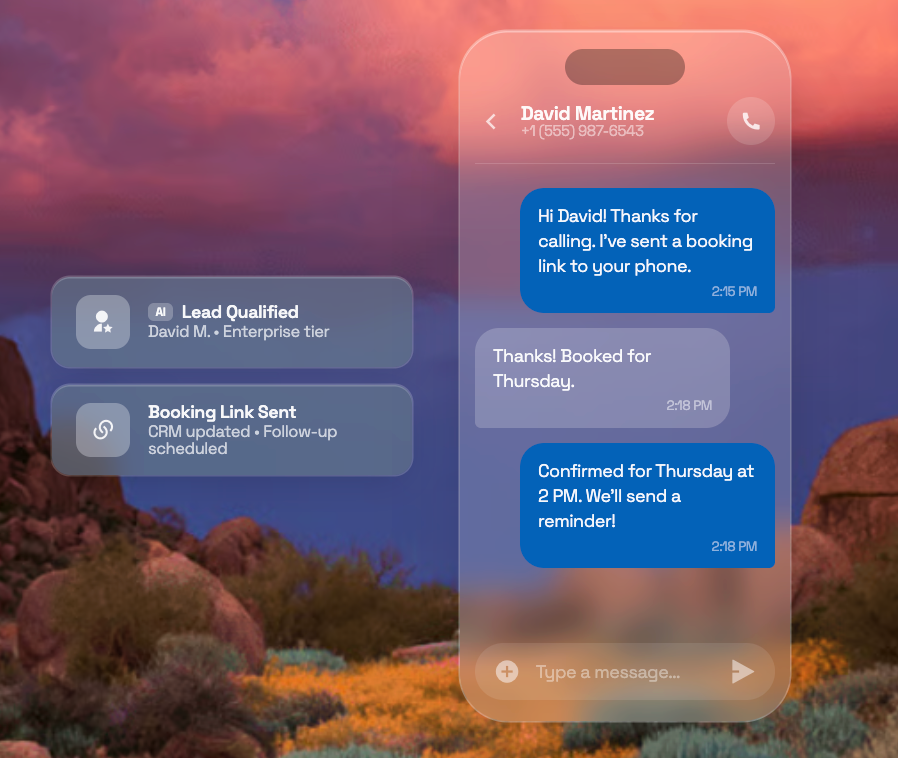
Calendar and practice-management integrations
Direct scheduling can turn a captured consultation into a confirmed appointment. XBert AI connects with Clio, MyCase, PracticePanther, Calendly, and other practice-management or calendar tools.
The firm should verify:
- Which calendars the platform can access
- Whether it can check real-time availability
- Whether it can book, confirm, reschedule, and cancel appointments
- Which staff members can receive appointments
- Whether appointment details sync to the CRM
- Which confirmation and reminder messages the firm can approve
Urgent-call routing
Some matters need a live attorney rather than a booking several days later. An arrest call, accident report, service deadline, or immediate safety concern may require escalation.
The firm should define:
- The situations that qualify as urgent
- The attorney or team assigned to each situation
- After-hours transfer rules
- Backup contacts when the primary attorney does not answer
- The information the AI must collect before transfer
- The transcript and summary that should accompany the handoff
This intelligent call routing helps the firm respond quickly while giving the attorney relevant context.
SMS follow-up and multichannel intake
Prospects may contact a firm by phone, text, or web chat. XBert AI can handle inbound texts and web chats alongside calls. A lead that arrives by SMS at 11 p.m. can follow the same structured intake process as a phone caller during business hours.
The firm should approve the content of confirmation messages, appointment reminders, document requests, and follow-up texts. Staff should also know when a text conversation requires a human response.
What Is the Best Legal Intake a Platform Should Provide
The phrase “best AI receptionist for legal intake” has a practical meaning. It describes a platform that protects confidential information, follows the firm’s instructions, captures useful data, and moves qualified prospects to the next step.
Firms should compare vendors across these criteria:
| Evaluation area | Questions to ask |
|---|---|
| Availability | Does the system answer after hours, on weekends, and during call spikes? |
| Intake workflow | Can the firm define practice-area, jurisdiction, and qualification questions? |
| AI boundaries | Can the firm restrict legal advice, case strategy, predictions, and interpretations? |
| Urgent routing | Can the firm route emergencies to specific attorneys with a transcript? |
| Calendar actions | Can the system check availability and book, confirm, or reschedule consultations? |
| Knowledge base | Can the AI answer approved questions from firm-provided information? |
| CRM and legal software | Does it connect with MyCase, Clio, PracticePanther, Lawmatics, Salesforce, or HubSpot? |
| Conversation history | Are recordings, transcripts, summaries, and actions available to authorized staff? |
| Security | Does the vendor document encryption, access controls, retention, deletion, and auditability? |
| Data use | Does the vendor state whether customer data trains public or shared AI models? |
| Human handoff | Can staff receive the transcript and context during a transfer? |
| SMS follow-up | Can the firm control the content, timing, and recipients of text messages? |
| Pricing | Is pricing predictable at the firm’s expected call volume? |
| Implementation | Can the firm test the workflow before routing live calls? |
| Monitoring | Can managers review accuracy, escalation, and missed-intake outcomes? |
Nextiva XBert AI includes configurable boundaries, conversation transcripts, summaries, appointment actions, and transfers to human teammates. Plans start at $99 per month. Firms should confirm current pricing, integrations, and terms before purchase.
Ethics, Bar Rules, and Data Security
Law firms have strict confidentiality obligations. A vendor that mishandles client data, uses intake transcripts to train public AI models, or allows an AI system to provide legal advice can expose a firm to complaints, malpractice claims, and reputational harm.
A platform’s certification does not automatically make a law firm compliant. The firm remains responsible for its technology decisions, workflows, disclosures, access permissions, and state-specific requirements.
Prevent unauthorized practice of law
An AI receptionist should gather facts and schedule consultations without providing legal advice. Unauthorized practice can occur when a non-lawyer provides legal guidance, interprets how a law applies to a situation, or recommends a course of action.
An AI receptionist must never:
- Offer legal advice
- Interpret statutes or regulations
- Predict an outcome
- Recommend a legal strategy
- Advise a caller to take a specific legal action
- Represent that an attorney-client relationship exists
The firm should configure the AI around approved scripts and escalation rules. A suitable opening disclosure may say:
“I’m an AI assistant and cannot provide legal advice, but I can take your details and have an attorney follow up with you directly.”
Before selecting a provider, ask:
- Can the firm control the exact language the AI uses?
- Can the firm block case strategy, outcome predictions, and legal interpretations?
- Can a caller override the AI’s restrictions through a prompt or request?
- Can the firm require human approval for sensitive actions?
- Can the firm review and update the knowledge base?
- Can the firm transfer a caller to an attorney at any point?
Confidentiality and prospective-client information
ABA Model Rule 1.6(c) requires lawyers to make reasonable efforts to prevent the inadvertent or unauthorized disclosure of, or unauthorized access to, information relating to client representation.
Rule 1.18 extends confidentiality obligations to prospective clients. A person contacting a firm for the first time may already be sharing sensitive information.
A vendor review should cover:
- Whether calls and transcripts train public or shared AI models
- Data separation between customers
- User roles and access permissions
- Encryption in transit and at rest
- Recording and transcription controls
- Retention and deletion schedules
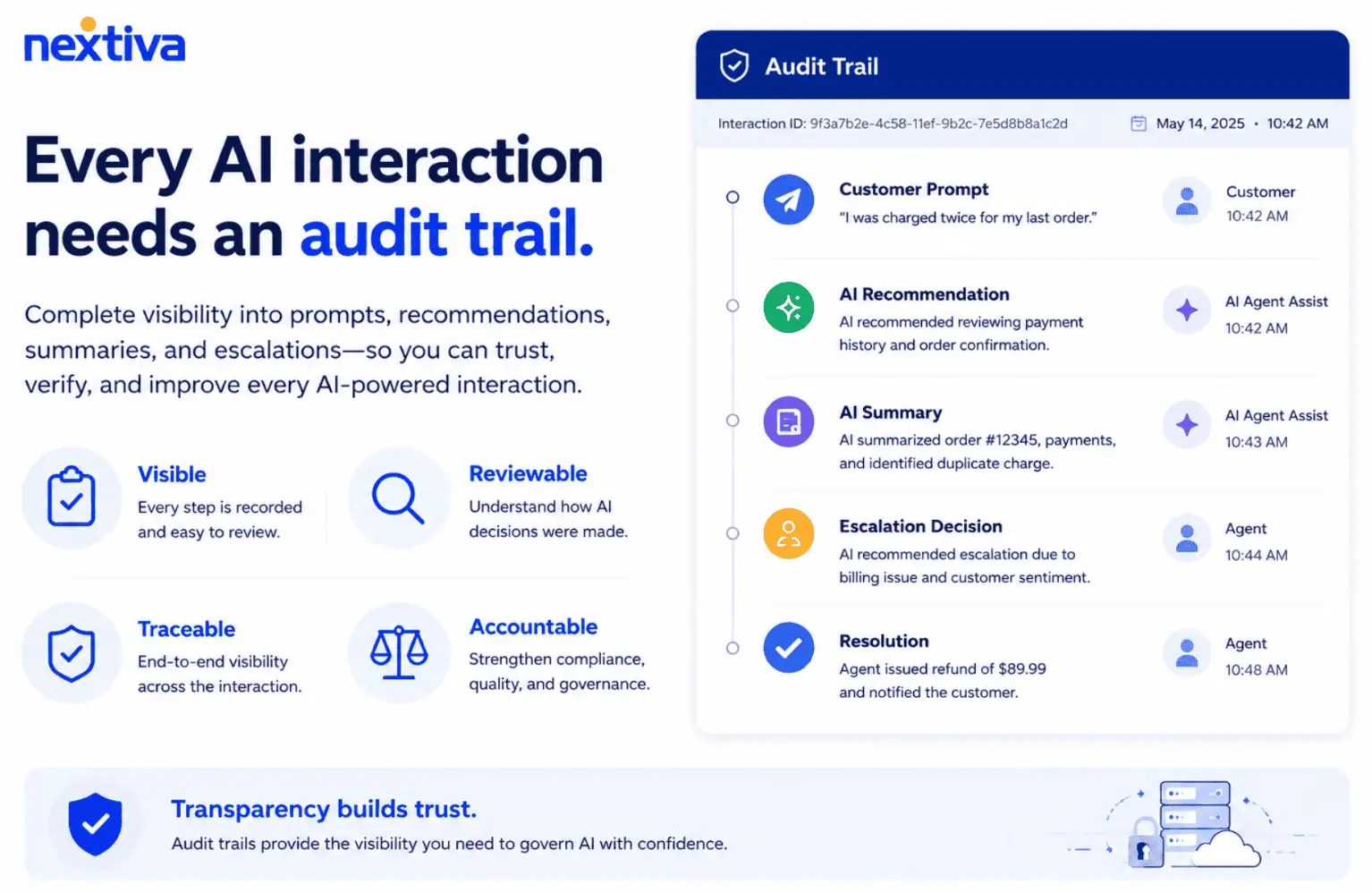
- Audit logs and conversation history
- Vendor access to conversations
- Data location and subprocessors
- Breach notification terms
- Data processing agreements and business associate agreements, when applicable
- State-specific call-recording and consent requirements
Security controls to verify
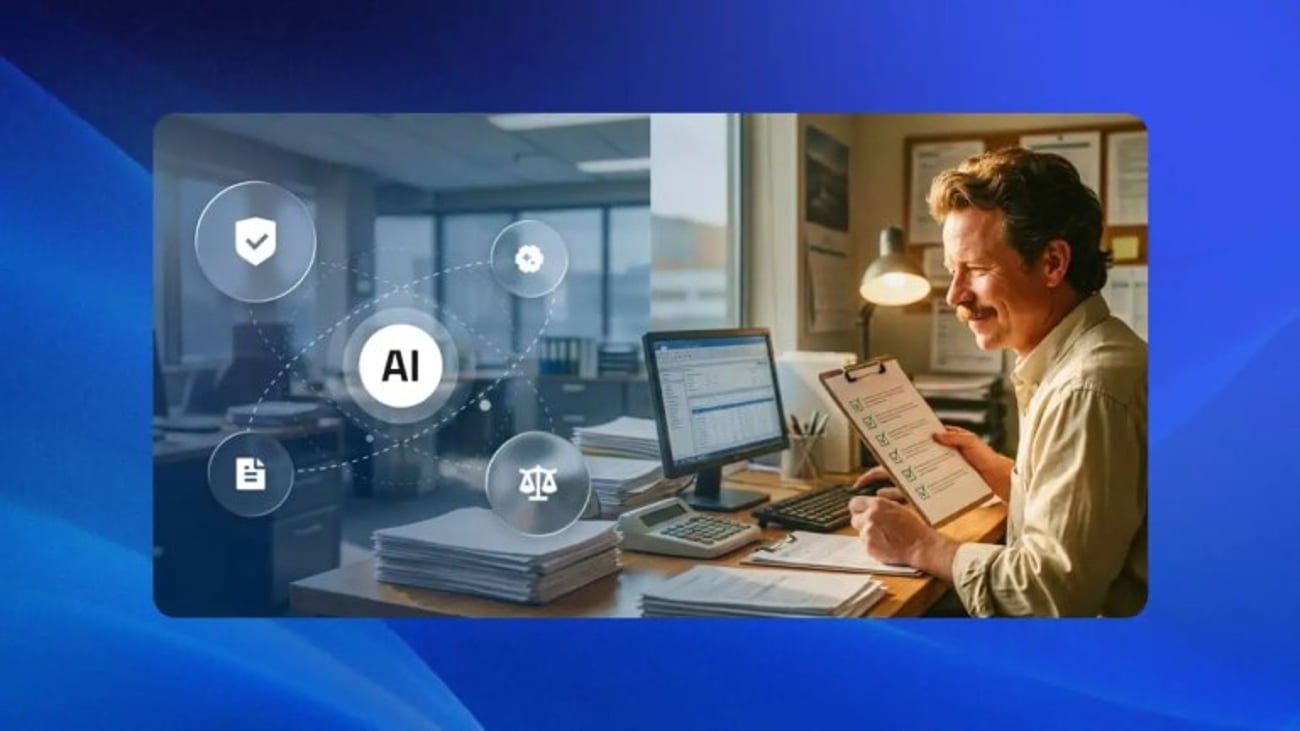
SOC 2 Type II certification indicates that an independent auditor assessed controls related to areas such as availability, confidentiality, and processing integrity. Firms should request the current report and review its scope.
For firms handling health-related matters, such as medical malpractice or personal injury cases involving medical records, HIPAA requirements may also apply. Review Nextiva’s guidance on HIPAA-compliant call centers.Nextiva states that its platform maintains ISO/IEC 27001, SOC 2, PCI-DSS, HIPAA with a business associate agreement, and SSAE 18 certifications or attestations. Nextiva also states that communications are encrypted and that data is stored in secure, access-controlled data centers monitored around the clock.
Firms should ask each provider:
- Can you provide current audit reports or certifications?
- Does the relevant certification cover the AI receptionist and its data flows?
- Is encryption used for calls, transcripts, and stored data?
- Who can access recordings and transcripts?
- Can administrators apply role-based permissions?
- Can the firm export or delete data?
- How long does the vendor retain recordings and transcripts?
- Does the vendor provide audit history?
- Can the vendor sign a data processing agreement or business associate agreement?
- Does the firm need caller consent before recording in each state where it operates?
How to Test and Implement an AI Receptionist
A firm should test the receptionist before sending all live calls to it. The test should include routine inquiries, incomplete information, distressed callers, conflicting instructions, urgent matters, existing clients, and requests for legal advice.
A practical implementation process
- Map the current intake process. Document call types, practice areas, qualification rules, calendars, escalation contacts, and after-hours procedures.
- Write the approved script. Define the greeting, AI disclosure, intake questions, prohibited topics, and handoff language.
- Connect business systems. Link MyCase, PracticePanther, Clio, Calendly, Google Calendar, or the firm’s CRM.
- Set routing rules. Define urgent matters, on-call attorneys, backup contacts, and transfer conditions.
- Configure the knowledge base. Add approved information about office hours, locations, practice areas, consultation fees, and scheduling.
- Test edge cases. Ask for legal advice, provide incomplete facts, change the subject, request an unavailable appointment, and describe an urgent event.
- Review transcripts and recordings. Check accuracy, prohibited responses, data capture, summaries, and escalation behavior.
- Launch in stages. Start with after-hours coverage or a limited practice area before expanding.
- Monitor outcomes. Track answered calls, qualified leads, booked consultations, transfers, abandoned calls, incorrect answers, and missed-intake events.
- Update the workflow. Revise scripts, knowledge, routing rules, and permissions as the firm identifies gaps.
Nextiva’s XBert AI records and transcribes conversations, which gives firms a way to review how the system handles calls. Business-defined boundaries determine which actions the AI may take and which require human involvement.
Nextiva’s XBert Implementation
Nextiva’s XBert starts at $99 per month, approximately 10 to 20 times less than the cost of a human receptionist.
- Calendar and CRM integration: Connect MyCase, Clio, PracticePanther, Calendly, or Google Calendar.
- Greeting and voice configuration: Set the tone, language, disclosure, and transfer language.
- Custom prompt training: Add the firm’s practice areas, intake questions, and qualification criteria.
- Routing rules: Define urgent matters, on-call attorneys, and after-hours procedures.
- Human handoff: Transfer sensitive or complex calls with the transcript and context.
- Follow-up workflows: Configure appointment confirmations, reminders, and approved SMS messages.
Marc S. Dobin, founder of Dobin Law Group and a solo practitioner in Jupiter, Florida, uses Nextiva to ensure he does not miss client calls while traveling.
“I carry my entire office, and it weighs two and a half pounds,” he says. “Whether I’m at my desk or across the country, clients call my firm’s number, and I pick up. When you’re a solo practitioner, you can’t afford to miss that call.”
Nextiva’s AI Receptionist for Law Firms
Nextiva, a business communications and customer experience platform, combines business phone service with AI receptionist capabilities. Its platform supports voice, SMS, video meetings, team messaging, and digital channels, while XBert AI manages approved intake and scheduling workflows.
For a law firm, the platform can:
- Answer calls 24/7
- Understand caller intent
- Ask structured intake questions
- Qualify leads against firm-defined criteria
- Book, confirm, and reschedule appointments
- Support approved follow-up workflows
- Route urgent or sensitive matters to a human
- Provide transcripts and summaries to staff
- Connect with legal and business software
- Keep interactions auditable for internal review
A firm should choose XBert AI when it wants automated intake connected to a broader phone and collaboration system. A human answering service may be more suitable when every caller needs live conversation from the start. A full contact-center deployment may be appropriate for firms with multiple teams, queues, advanced reporting, or high call volume.
Streamline Client Intake and Stop Losing Clients to Voicemail
Too many law firms remain unreachable by phone. Every missed call may represent a prospective client who signs with another firm.
An AI receptionist can address that accessibility problem without adding headcount. It can:
- Answer calls around the clock
- Run structured intake
- Identify caller intent
- Book consultations
- Support approved text follow-up
- Route urgent matters to a live attorney
- Give staff the full call context
- Record and summarize interactions for authorized review
The system must stay within firm-approved boundaries. It should gather information and coordinate service, while licensed attorneys handle legal advice, strategy, and judgment.
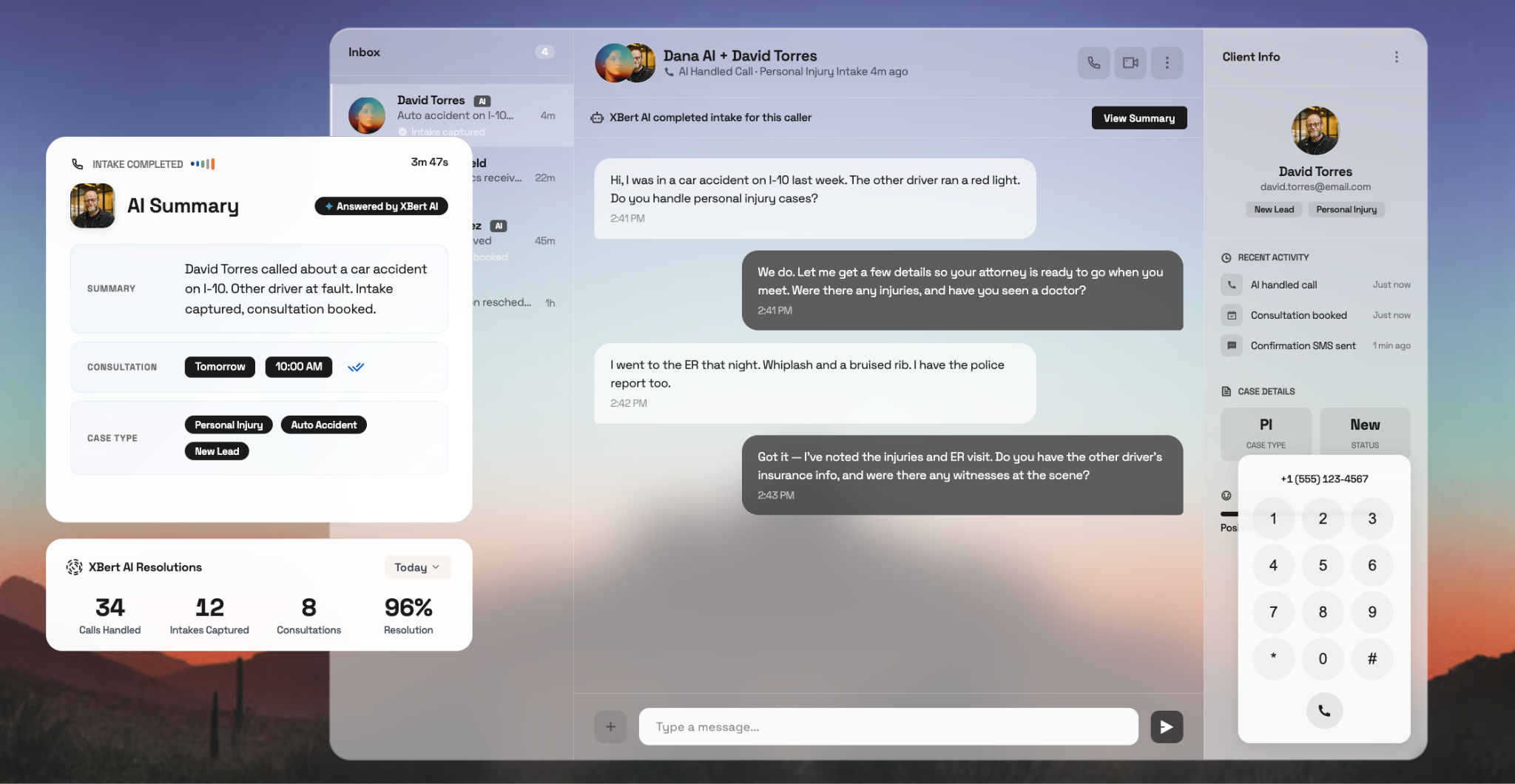
Nextiva XBert starts at $99 per month, includes free professional setup, and operates on a platform that Nextiva states is SOC 2 certified and HIPAA compliant. For solo practitioners and small firms losing opportunities to missed intake calls, it connects the initial call with scheduling, follow-up, and attorney escalation.
Ready to capture every intake call? See how XBert works for law firms.
Every legal client informed. Every case covered.
Keep client conversations, case discussions, and team communication organized in one place — so your firm stays responsive and everyone is informed.
Frequently Asked Questions
Nextiva’s XBert AI is the best option as it provides 24/7 coverage, executes firm-approved intake scripts, blocks unauthorized legal advice, directly books appointments, and escalates complex or urgent matters to human staff with full conversation transcripts.
Nextiva is the best complete business phone platform. Instead of acting as a standalone answering tool, it combines business voice, SMS, video meetings, team messaging, and digital channels into a single, unified cloud environment.
You should choose Nextiva. It merges a comprehensive business phone system with the XBert AI receptionist, allowing you to automate routine intake and scheduling, route urgent emergencies to on-call attorneys, and manage SMS follow-ups—all while maintaining strict SOC 2 and HIPAA compliance.
The post AI Receptionist for Law Firms: Ethics, Security, and Intake appeared first on Nextiva Blog.

 SportsPac12
  Techmeme
  The Next Hint
 Android Authority
 Kaiser Health News