Trending
Heavy Instagram use may blur your sense of self, study suggests is trending now Africa: 11 African Countries Record 1,153 Mpox Cases in Six Weeks is trending now Call for Entries: AMBSO Impact Research Initiative is trending now New breeding approach targets crop rotations, not yield alone is trending now Bacterial enzyme found to weaken gut protective hormone signal is trending now Wildfires near the South Pole burned 90 million years ago is trending now Russia launching 3 tons of cargo to the space station today: Watch it live is trending now Mikel Arteta urged Arsenal to remain 'cautious' over teenage sensation Max Dowman despite… is trending now Manchester derby VAR error: Howard Webb really disappointed with missed offside is trending now Roberto De Zerbi slams 'unfair' result as Tottenham crash out of Carabao Cup against Live… is trending now The last tango! Lionel Messi makes sensational return to Argentina squad for emotional fa… is trending now Poco Lee Alleged Assault Case: UK Court Takes Major Decision as Dancer’s Legal Battle Tak… is trending now Heavy Instagram use may blur your sense of self, study suggests is trending now Africa: 11 African Countries Record 1,153 Mpox Cases in Six Weeks is trending now Call for Entries: AMBSO Impact Research Initiative is trending now New breeding approach targets crop rotations, not yield alone is trending now Bacterial enzyme found to weaken gut protective hormone signal is trending now Wildfires near the South Pole burned 90 million years ago is trending now Russia launching 3 tons of cargo to the space station today: Watch it live is trending now Mikel Arteta urged Arsenal to remain 'cautious' over teenage sensation Max Dowman despite… is trending now Manchester derby VAR error: Howard Webb really disappointed with missed offside is trending now Roberto De Zerbi slams 'unfair' result as Tottenham crash out of Carabao Cup against Live… is trending now The last tango! Lionel Messi makes sensational return to Argentina squad for emotional fa… is trending now Poco Lee Alleged Assault Case: UK Court Takes Major Decision as Dancer’s Legal Battle Tak… is trending now
Technology

How To Use Voice Typing On Samsung Galaxy Watch 8 / 8 Classic

How To Use Voice Typing On Samsung Galaxy Watch 8 / 8 Classic

Using voice typing on Samsung Galaxy Watch 8 or 8 Classic can make communication faster, easier, and more convenient. Instead of tapping out messages on the small screen, you can speak naturally and have your words converted into text instantly. This feature is especially useful when you’re on the move, multitasking, or simply want a hands-free experience. With the Galaxy Watch 8 Series designed for smart efficiency, voice typing adds another level of practicality to everyday interactions. Moreover, understanding how to use voice typing on Samsung Galaxy Watch 8 or 8 Classic can improve productivity and accessibility. It allows you The post How To Use Voice Typing On Samsung Galaxy Watch 8 / 8 Classic appeared first on WebPro Education.

Using voice typing on Samsung Galaxy Watch 8 or 8 Classic can make communication faster, easier, and more convenient. Instead of tapping out messages on the small screen, you can speak naturally and have your words converted into text instantly.

This feature is especially useful when you’re on the move, multitasking, or simply want a hands-free experience. With the Galaxy Watch 8 Series designed for smart efficiency, voice typing adds another level of practicality to everyday interactions.

Moreover, understanding how to use voice typing on Samsung Galaxy Watch 8 or 8 Classic can improve productivity and accessibility. It allows you to send messages, take notes, or perform searches without interrupting your activities.

Whether you’re responding to a quick text during a workout or creating reminders while traveling, this feature helps you communicate quickly and effectively. In this guide, we’ll introduce the process so you can make the most of hands-free text input on your smartwatch.

Watch:How To Connect Bluetooth Speaker To Samsung Galaxy Watch 8 / 8 Classic

Use Voice Typing On Samsung Galaxy Watch 8 / 8 Classic

Open the Keyboard
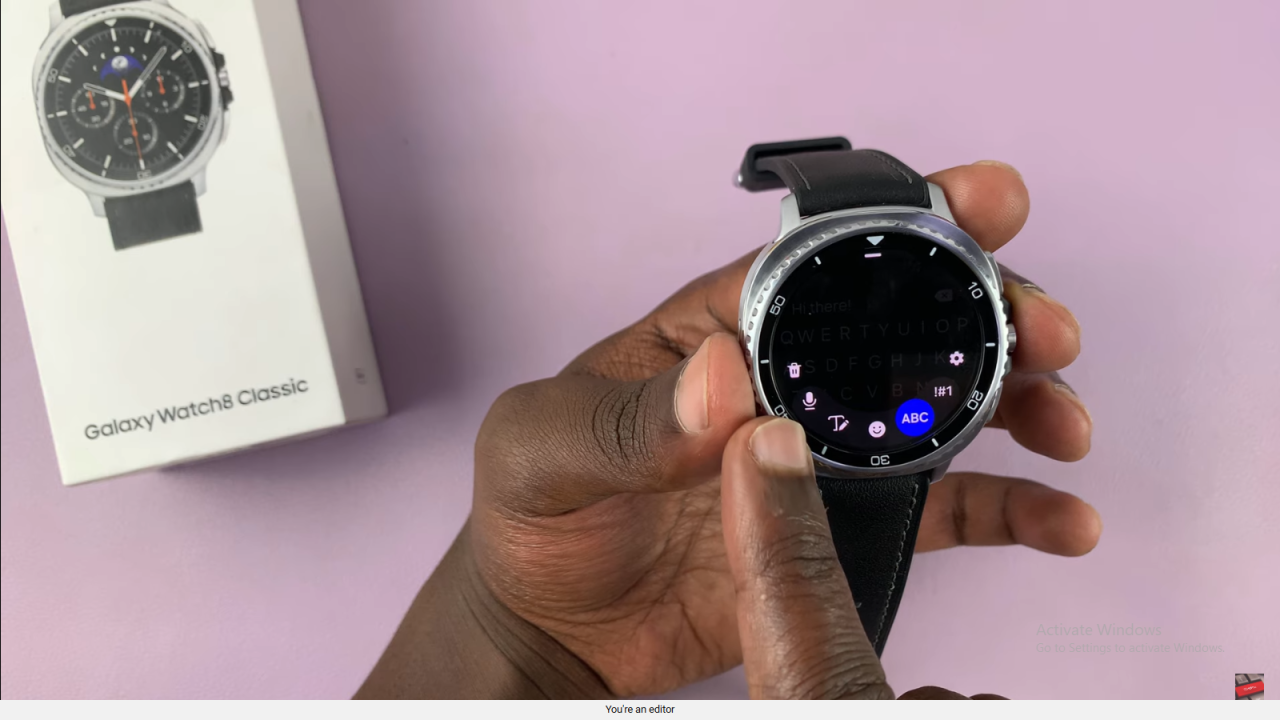
While typing on your Galaxy Watch 8 or 8 Classic, swipe up on the keyboard to access more options.

Access the Microphone Icon
Look for the microphone icon in the options menu and tap it to start voice typing.
Use Voice Typing On Samsung Galaxy Watch 8 Classic

Allow Permissions for Voice Typing
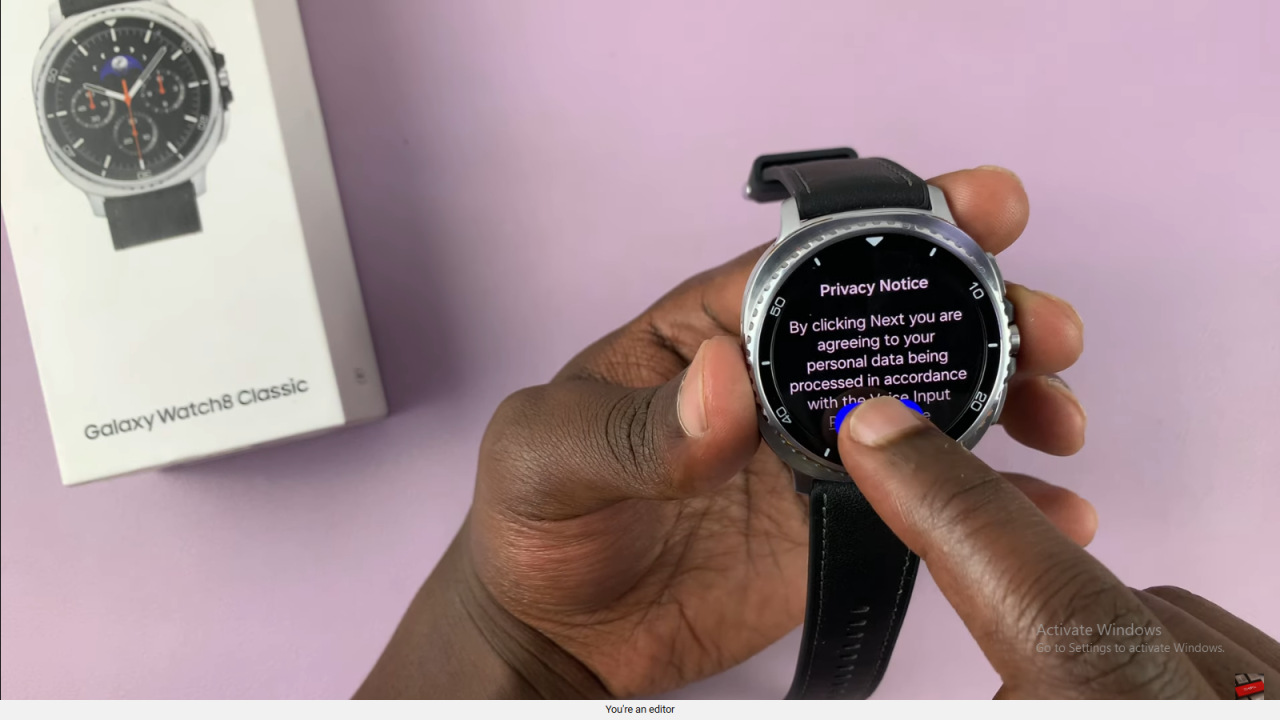
If it’s your first time, agree to the privacy notice and allow Samsung Keyboard to record audio while using the app.
Use Voice Typing On Samsung Galaxy Watch 8 Classic

Speak for Live Transcription
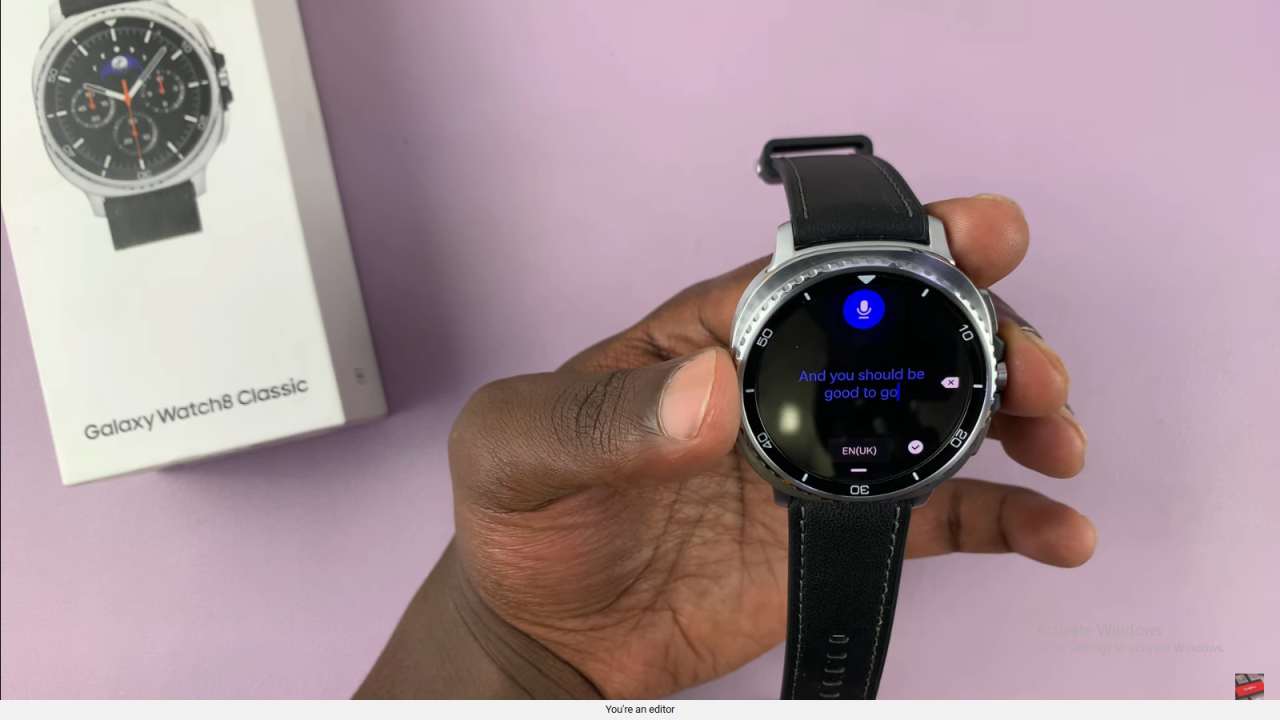
Start speaking, and your words will appear as text in real-time on the screen.
Use Voice Typing On Samsung Galaxy Watch 8 Classic

Finish and Confirm
Tap the check mark to add the transcribed text to your message or note.
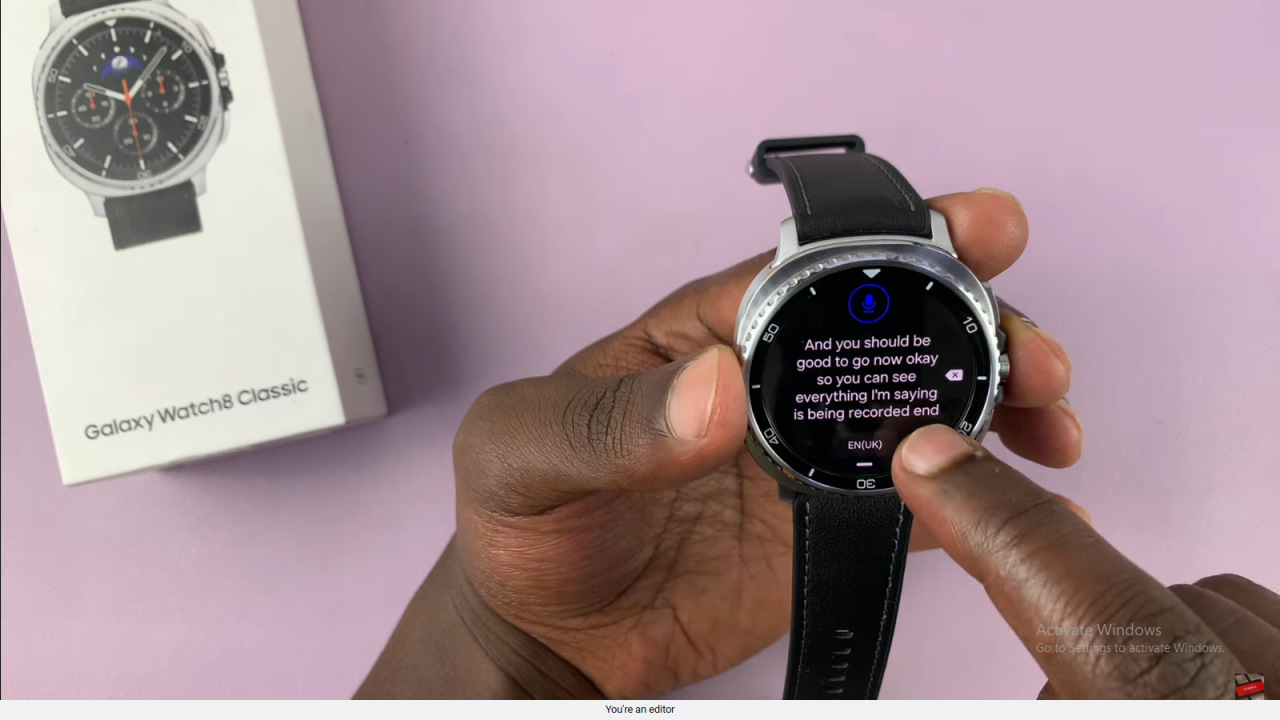
Use Voice Typing On Samsung Galaxy Watch 8 Classic

Switch Between Keyboard and Voice Typing
Use the microphone icon at the bottom to return to voice typing anytime or switch back to the keyboard if needed.
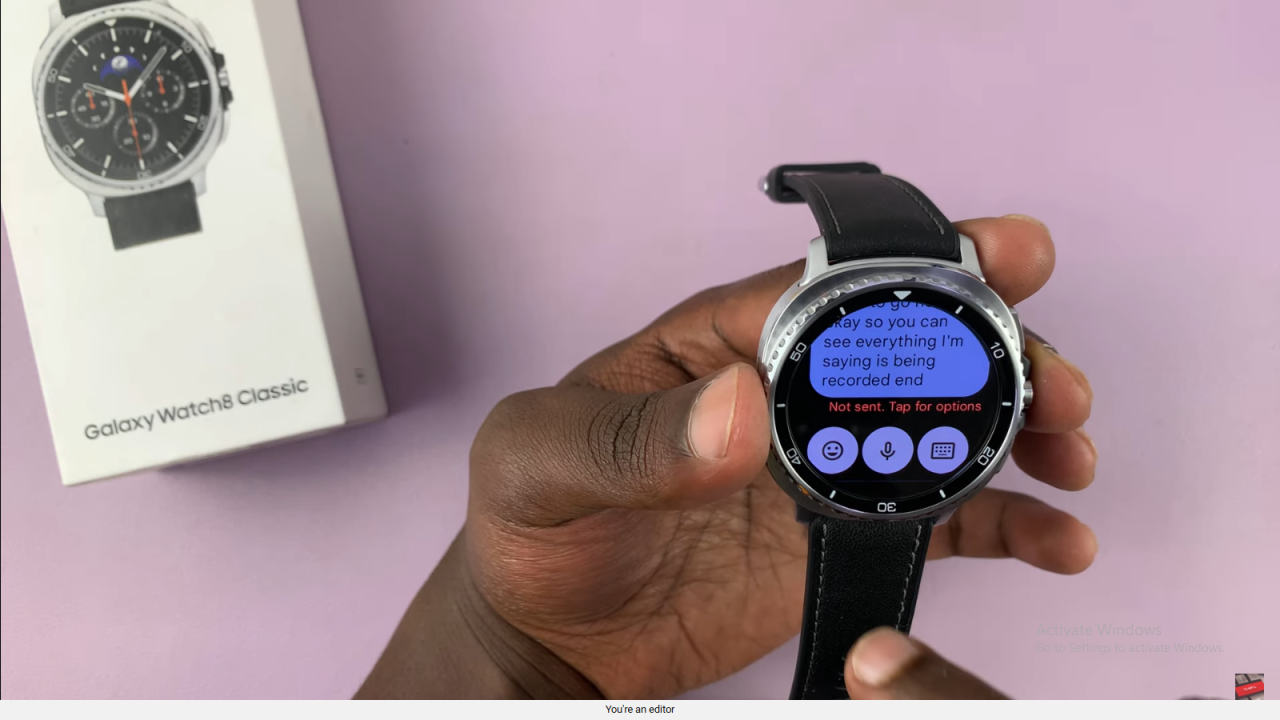
Use Voice Typing On Samsung Galaxy Watch 8 Classic

Send Messages Using Voice Input
Voice typing will send your message once you finish speaking, making it quick for replies.
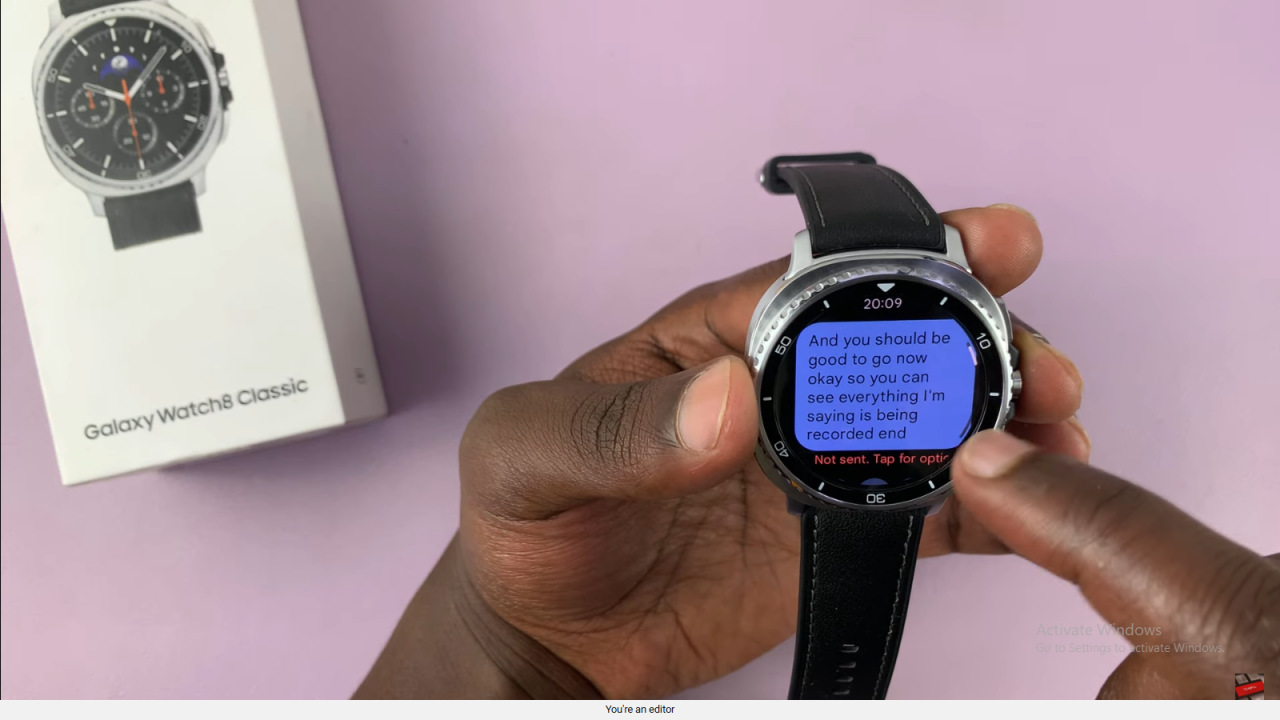
Use Voice Typing On Samsung Galaxy Watch 8 Classic

Final Tip
You can switch between voice typing and audio messages at any time for flexible communication.

Read:How To Connect Bluetooth Speaker To Samsung Galaxy Watch 8 / 8 Classic

The post How To Use Voice Typing On Samsung Galaxy Watch 8 / 8 Classic appeared first on WebPro Education.

View original source →

Related

More from WebPro Education