

Learn what commercial displays are, how they compare to TVs, and how to choose the right display for your business. The post Commercial Displays: Everything You Need to Know appeared first on ViewSonic Library.
Commercial displays are used in meeting rooms, digital signage networks, employee communication systems, retail environments, and public spaces where information needs to be visible, reliable, and easy to manage. While they often look similar to consumer TVs, commercial displays are designed for longer operating hours, professional installations, centralized management, and business-critical applications.
Read on to learn how commercial displays differ from TVs, when they make sense, and what to consider before choosing one, or explore the ViewSonic range of commercial displays.
What Are Commercial Displays?
A commercial display is a screen designed for professional environments. Organizations use commercial displays to share information, support collaboration, and deliver digital content in spaces where the screen is part of daily operations.
Common applications include:
- Meeting room presentations
- Digital signage
- Employee communication
- Retail promotions
- Menu boards
- Wayfinding and directories
- KPI dashboards
- Public information displays
- Emergency notifications
Unlike a consumer TV, a commercial display is designed for business use. That usually means longer operating hour ratings, professional connectivity, portrait and landscape installation options, remote management features, and commercial warranty coverage.
Benefits of Commercial Displays
The main benefit of a commercial display is not that it looks better than a TV. The benefit is that it is built for work. In a business environment, the screen may need to stay on all day, show text clearly, connect to AV systems, run scheduled content, or be managed by IT. Commercial displays are designed around those needs.
Longer operating hours
Many commercial displays are rated for extended operation, such as 16/7 or 24/7 use. A 16/7 display is designed to run up to 16 hours per day, seven days a week. A 24/7 display is designed for continuous operation.
This matters for lobbies, retail stores, restaurants, schools, transportation hubs, control rooms, and digital signage networks where screens cannot be treated as occasional-use devices.
Better visibility in business environments
Commercial displays are often used in bright spaces, large rooms, and public areas. Brightness matters because many business screens show text, schedules, prices, alerts, or directions.
As a general guide:
- Meeting rooms often need around 350 to 500 nits.
- Bright offices and lobbies may need around 500 to 700 nits.
- Window-facing signage may need 1,000 nits or more.
- Storefront or outdoor-facing displays may require 2,500 nits or higher.
Do not choose brightness by the spec sheet alone. Choose it based on the space where the display will be installed.
Flexible installation
Many commercial displays support both landscape and portrait orientation. This is important for menu boards, directories, wayfinding displays, retail signage, and public information screens. Commercial displays are also better suited for professional mounting, kiosk integration, video walls, and multi-display installations.
Remote management
One screen can be managed with a remote control. Multiple screens need a better system. Commercial displays often support remote monitoring, scheduling, input control, firmware updates, and centralized device management. This helps IT and facilities teams manage displays across rooms, floors, buildings, or locations.
Lower long-term risk
A consumer TV may cost less upfront. But if it fails early, lacks the right ports, cannot run in portrait mode, or needs manual updates every week, the cheaper option becomes expensive. Commercial displays reduce that risk by supporting the way businesses actually use screens.
When Should You Use a Commercial Display?
Use a commercial display when the screen plays an active role in communication, collaboration, customer experience, or operations.
Meeting rooms and conference spaces
Meeting room displays need to make content easy to read from every seat. They also need reliable connectivity for laptops, conferencing systems, and AV equipment.
For small meeting rooms, 55-inch to 65-inch displays are often enough. Medium-sized rooms often benefit from 75-inch displays. Larger rooms may need 86-inch or larger displays so text, spreadsheets, and video calls remain clear.
Digital signage
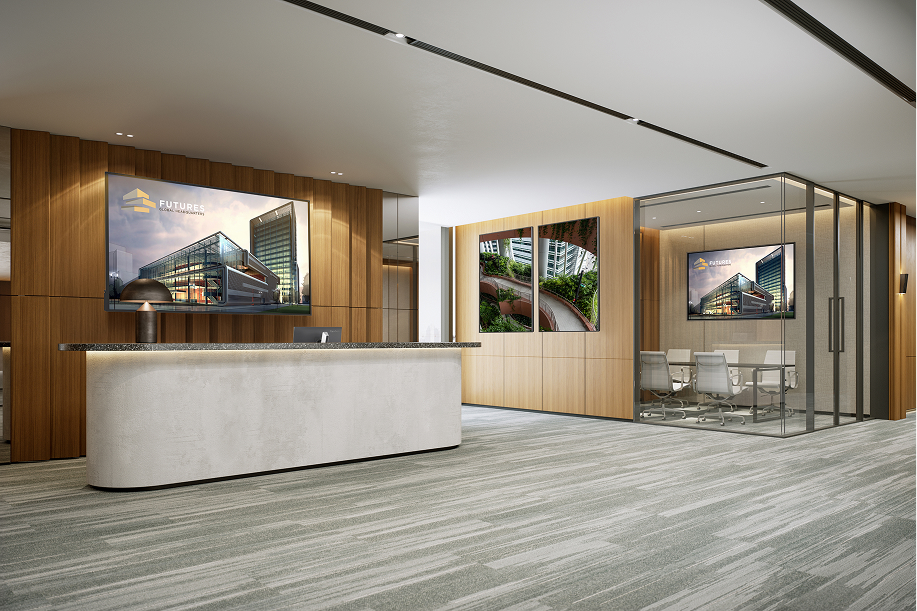
Digital signage displays need to run reliably and show content clearly throughout the day. The right display depends on the location, brightness conditions, operating hours, and content management setup.
Indoor signage may only require moderate brightness. Storefront signage, window-facing displays, or public-facing screens often need higher brightness to stay readable.
Employee communication
Employee communication displays are useful when information needs to reach people away from desks. Common content includes shift schedules, safety reminders, company announcements, KPI dashboards, production updates, and emergency notices.
In offices, 55-inch to 75-inch displays may work well. In warehouses, cafeterias, production areas, or large shared spaces, 86-inch to 98-inch displays may be easier to read from a distance.
Retail and public spaces
Retail and public-facing displays need to attract attention, stay readable, and support frequent content updates. They may show promotions, menus, pricing, wayfinding, queue information, or public announcements.
For displays near windows, brightness is critical. A standard indoor display can look washed out in strong ambient light.
Education and campus communication
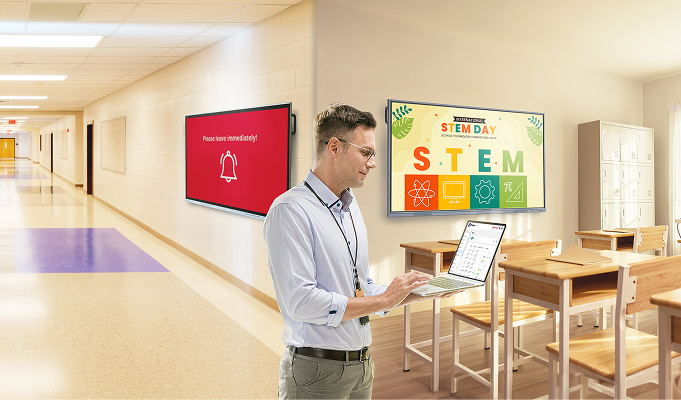
Schools and universities use commercial displays for classroom presentations, campus announcements, wayfinding, event promotion, and emergency communication.
These environments often need reliable daily operation, simple content updates, and screen sizes large enough for shared spaces.
Commercial Displays vs TVs
A TV can work in a business setting for light use. If the screen is used occasionally in a small meeting room or office, a consumer TV may be enough.
The difference appears when the screen becomes part of daily operations.
| Factor | Commercial Display | Consumer TV |
|---|---|---|
| Designed for | Business environments | Home entertainment |
| Operating schedule | Extended daily use or 24/7 operation | Occasional daily use |
| Installation options | Landscape and portrait | Mainly landscape |
| Brightness | Options for bright business spaces | Optimized for home viewing |
| Management | Remote monitoring and control | Limited management tools |
| Warranty coverage | Commercial use | Consumer use |
For occasional use, a TV can be practical. For digital signage, employee communication, retail displays, public information systems, and other business-critical applications, a commercial display is usually the better long-term choice.
Integration and Content Management
A commercial display is often one part of a larger system.
For a meeting room, that system may include laptops, conferencing cameras, speakers, microphones, and room control hardware. For digital signage, it may include a media player, content management software, network access, and remote monitoring tools.
Built-in OS or external media player?
Some commercial displays include a built-in operating system or system-on-chip platform. Others rely on an external media player.
| Option | Best For | Tradeoff |
|---|---|---|
| Built-in OS | Simple signage, fewer devices, cleaner installation | Less flexible if requirements change |
| External media player | Advanced signage, heavier content, easier upgrades | More hardware to install and manage |
Built-in playback works well for simple deployments. External media players are often better when the signage software is more demanding, the content is complex, or the business wants easier hardware upgrades later.
Single display or display network?
A single display is a product decision. A display network is a system decision. Before buying several displays, answer these questions:
- Who updates the content?
- How often does the content change?
- Will each screen show the same content or different content?
- Does IT need remote access?
- Will screens be grouped by location, department, or use case?
- Who checks whether screens are working?
These questions prevent problems later. A display that works well on its own may still be hard to manage at scale.
Connectivity
Check connectivity before choosing a display. The right ports depend on the use case.
- Meeting rooms may need HDMI or USB-C for laptop sharing.
- AV installations may need RS232 or LAN control.
- Digital signage may need HDMI for external media players.
- IT teams may need network access for remote management.
The wrong connectivity creates adapters, workarounds, and support issues.
Final Thoughts
Choosing a commercial display starts with understanding how the screen will be used. From meeting rooms and digital signage to employee communication and public information displays, the right solution depends on the environment, operating requirements, and content strategy.
Explore the ViewSonic range of commercial displays to find the right solution for your business.
Frequently Asked Questions
A commercial display is a screen designed for business use. It is built for professional environments, longer operation, flexible installation, remote management, and demanding applications such as meeting rooms and digital signage.
Yes, for light use. A TV may work for occasional presentations or simple display needs. For daily operation, digital signage, portrait installation, remote management, or commercial warranty coverage, a commercial display is usually the better choice.
For meeting rooms, 350 to 500 nits is often enough. Bright offices and lobbies may need 500 to 700 nits. Window-facing displays may need 1,000 nits or more. Storefront and outdoor-facing displays may require 2,500 nits or higher.
These ratings describe how long a display is designed to operate. A 16/7 display is designed for up to 16 hours per day, seven days per week. A 24/7 display is designed for continuous operation.
Not always. Some commercial displays include built-in playback. Others use external media players. Built-in playback is simpler. External players offer more flexibility for advanced signage systems.
Choose size based on viewing distance and content type. Small meeting rooms may use 55-inch to 65-inch displays. Medium rooms often need 75 inches. Larger rooms, lobbies, classrooms, and open spaces may need 86-inch to 98-inch displays.
The post Commercial Displays: Everything You Need to Know appeared first on ViewSonic Library.