
 ViewSonic Library
 Keeping students engaged is a challenge every teacher faces, especially when attention spans are short and energy levels are high. Interactive whiteboard games offer a simple, effective way to turn everyday lessons into hands-on experiences that spark curiosity, encourage participation, and make learning memorable.Â
Read on to discover 9 interactive whiteboard games you can try with your students, or explore myViewBoard to find more ready-to-use lessons and teaching tools.Â
Interactive whiteboards, also called interactive displays or interactive flat panels, are now a regular part of many classrooms, but their value goes far beyond displaying content. When used intentionally, they help transform lessons into active learning experiences where students participate, collaborate, and think more deeply.Â
In this post, we’ll look at why educators use these advanced displays and share practical interactive whiteboard games that can fit naturally into your lessons.


Why Teachers Use Interactive WhiteboardsÂ
Interactive whiteboards are more than large touchscreens. They offer students a chance to engage directly with content while giving teachers flexibility in how lessons are delivered.Â
Because whiteboard features can vary widely between solutions, many schools look for displays like ViewBoards that support responsive touch, multimedia learning, and collaborative classroom tools.Â
Whether you are leading whole-class instruction, working with small groups, or inviting individual students to the front, a good interactive board makes it easier to adjust your teaching in real time and keep students interested.
How Interactive Whiteboards Make Learning Fun
When students can touch, move, and respond to content, learning feels more engaging and less passive. That’s especially important for elementary and middle school learners who benefit from visual and hands-on experiences.Â
Interactive whiteboard activities can:Â
- Reinforce concepts through movement and repetitionÂ
- Encourage participation from a wider range of studentsÂ
- Support visual and kinesthetic learning stylesÂ
- Make abstract ideas easier to understandÂ
But being able to conduct such activities depends on more than just hardware. The interactive whiteboard needs to have software that supports a wide range of interactions.Â
With tools like myViewBoard, a digital whiteboarding platform, teachers can access ready-made content, build multimedia lessons, and run interactive activities on an infinite canvas, all while sharing content with students in real time.
Tips for Effective Classroom Games
To get the most out of interactive whiteboard games, keep these practical strategies in mind:Â
- Make instructions simple so students can begin quicklyÂ
- Align games with clear learning objectivesÂ
- Rotate participation to involve the whole classÂ
- Set expectations for behavior and collaborationÂ
- Use games as quick formative assessments to check understandingÂ
The most effective interactive whiteboard ideas are the ones that support what you are already teaching.Â

9 Interactive Whiteboard Games to Try With Your Class
Here are a few interactive whiteboard games that are simple to implement and designed to fit naturally into everyday lessons.
Blocks Puzzle
Grade levels: K–2Â
Blocks Puzzle is a classic logic activity adapted for interactive whiteboard use. It involves moving different shaped blocks across the screen to reach specific goals. As students interact directly with the display, it offers a more engaging way to explore STEAM concepts.Â
This game supports:Â
- Spatial reasoning and geometry conceptsÂ
- Problem-solving and logical thinkingÂ
- Hand-eye coordinationÂ
Teachers can also invite students to create their own designs, adding a creative element to the activity.Â
The Magic of Christmas Tree RingsÂ
Grade levels: 7–10
Just as the name suggests, this game teaches students how tree rings form and what they reveal about a tree’s life.Â
Students explore:Â
- The conditions that influence tree growthÂ
- The structure of a tree trunkÂ
- How ring patterns reflect environmental changesÂ
Teachers can guide discussions, display diagrams, and invite students to interact with visuals on the board, which makes it easier to connect scientific concepts to real-world observations.Â
Not to mention, it’s a great fit for a holiday-themed science lesson!Â
Explore The Magic of Christmas Tree Rings now.Â
Tic Tac Play with Fynn the FinchÂ
Grade levels: K–2Â
Tic Tac Play with Fynn the Finch offers a simple twist on a familiar game structure that students will pick up on quickly. Each player can have only three marks on the board at any time, which means their first mark disappears as soon as they place a fourth one.Â
That twist makes gameplay more continuous and prevents the constant stalemates typically seen with regular tic-tac-toe. It also adds a little bit more difficulty as players need to remember which mark they put first. Â
Teachers can adapt this activity as:Â
- A quick break in between longer activitiesÂ
- A challenge option for competing teamsÂ
- An opportunity to earn extra participation points or rewardsÂ
The game’s straightforward format allows teachers to get students’ attention without spending time on instructions.Â
Explore Tic Tac Play with Fynn the Finch now.Â
Snakes & Ladders – Science
Grade levels: 6–8Â
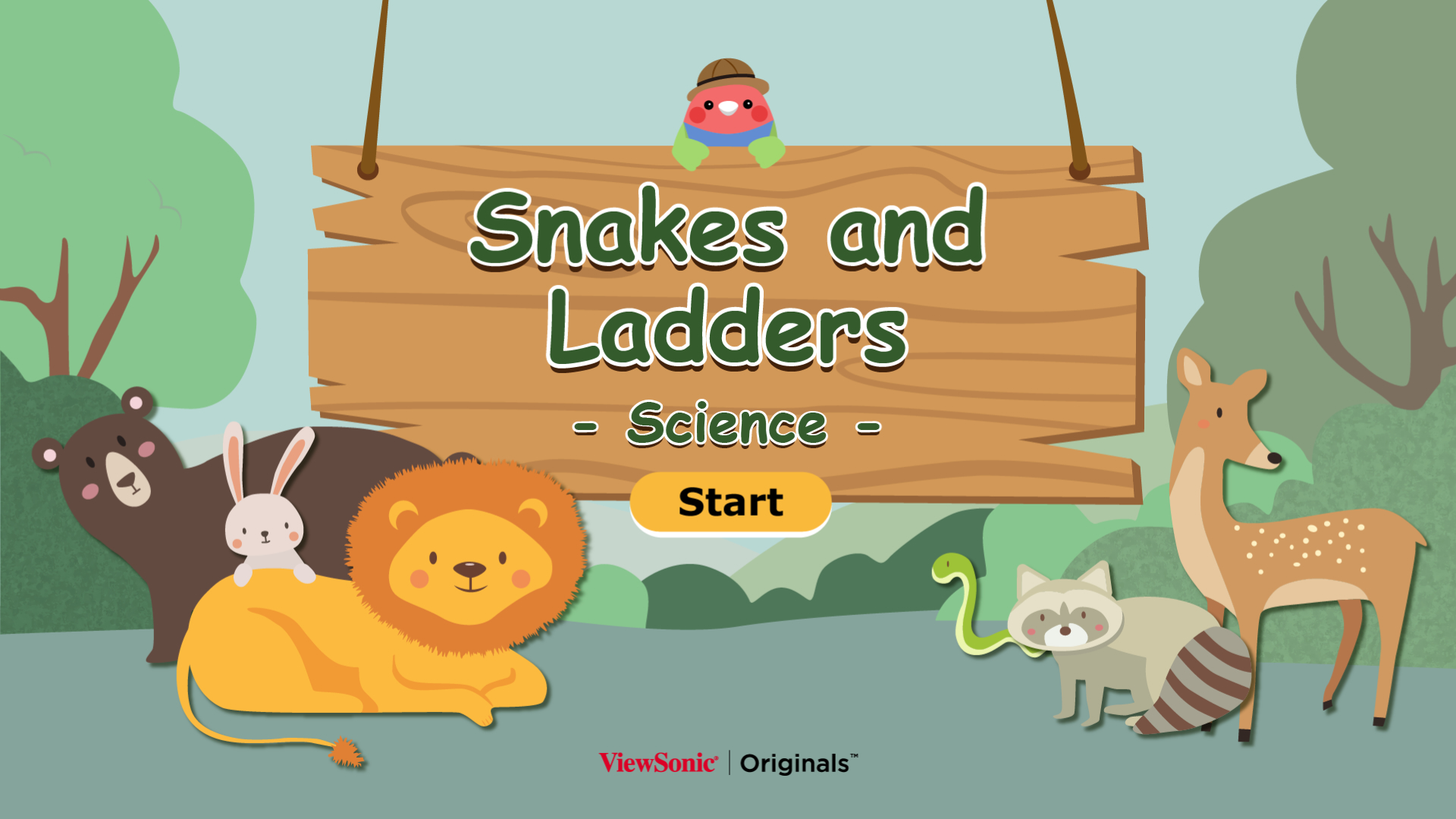
Snakes & Ladders – Science is a turn-based game where students roll a virtual die, move across the board, and answer science-related questions.Â
As they play:Â
- Landing on a ladder moves them forwardÂ
- Landing on a snake moves them backwardÂ
- Reaching the final space determines victoryÂ
Sound familiar? This classic game format works well for inspiring friendly competition, while the element of incorporated questions serves to reinforce concepts taught in science class.Â
Explore Snakes & Ladders – Science now.
Music: Play the DrumsÂ
Grade levels: K–3Â
This simple but entertaining activity introduces rhythm through interaction. It also offers musically inclined students an outlet for creative expression. Â
Students tap directly on the display to play musical instruments like drums or piano, which they can use to perform or follow along with familiar melodies.Â
Teachers can use it to:Â
- Introduce rhythm and timingÂ
- Reproduce songs taught in classÂ
- Add a creative break to the dayÂ
Music: Play the Drums helps bring movement and energy into any classroom.Â
Explore Music: Play the Drums now.
Earth Day Special: Energy AdventureÂ
Grade levels: 3–5Â
Energy Adventure connects science learning with real-world environmental topics. It features a series of fast-paced challenges revolving around recycling, saving water, and more. Â
Tap and drag to turn off lights, sort trash items from recyclables, and make the world a little greener.Â
Use this interactive whiteboard lesson to help students:Â
- Identify eco-friendly lifestyle habitsÂ
- Learn how energy is used in daily lifeÂ
- Understand the importance of renewable energyÂ
It’s a fun way to support both understanding of environmental science and awareness of sustainability. The time limits also add a bit of excitement to each challenge.Â
Explore Earth Day Special: Energy Adventure now.
Mouse Paint (Color Mixing)Â
Grade levels: K–2
Mouse Paint (Color Mixing) explores how colors combine through interaction with colorful mice.Â
Students can:Â
- Match objects to colorsÂ
- Examine the color wheelÂ
- Understand how primary colors mixÂ
This game works well for younger learners, as it connects visual learning with direct interaction on the display and reinforces understanding of primary and secondary colors.Â
Explore Mouse Paint (Color Mixing) now.Â
Indian Freedom FightersÂ
Grade levels: 4–6

This whiteboard game introduces students to important figures from India’s independence movement through interactive sliding puzzles.Â
The game is a way for students to:Â
- Discover key historical figuresÂ
- Develop spatial reasoningÂ
- Explore additional learning resourcesÂ
Use it for a smooth transition to related social studies or history lessons or as a standalone playtime puzzle.Â
Explore Indian Freedom Fighters now.Â
How to Celebrate Chinese New Year
Grade levels: 1–6Â
Explore traditions connected to Chinese New Year with this colorful activity, which challenges students to guide their character through the appropriate customs while being chased by a legendary beast.Â
Use this whiteboard game to:Â
- Identify holiday symbols and themesÂ
- Discuss their cultural meaningsÂ
- Test students’ speed and reaction timeÂ
It’s a somewhat unconventional way to promote awareness of Lunar New Year while keeping students involved (and entertained!).Â
Explore How to Celebrate Chinese New Year now.Â
Final Thoughts
Interactive whiteboard games can bring more movement, collaboration, and participation into everyday lessons. Whether you are reviewing concepts, introducing new topics, or giving students a creative break, they help turn learning into something students actively experience instead of simply watch.Â
If you’re looking for more classroom activities, lesson content, and teaching tools designed for active learning, explore myViewBoard and discover new ways to engage students. Or browse ViewBoard displays for a closer look at the unique hardware features that support classroom learning.
Frequently Asked Questions About Interactive Whiteboard Games
Interactive whiteboard games are digital learning activities designed for touch-enabled displays, allowing students to interact directly with content through tapping, dragging, and collaborative participation. Many teachers use platforms like myViewBoard to access and deliver these activities.
Interactive whiteboard games help students learn by combining visual, hands-on, and collaborative elements that improve engagement and retention. Tools like myViewBoard make it easier to integrate these experiences into daily lessons.Â
Interactive whiteboard activities can be used across subjects such as math, science, language arts, social studies, music, and art. Many educators use myViewBoard to find and adapt content for different topics.
Interactive whiteboard games are especially effective for younger students because they combine movement, visuals, and simple interactions that support early learning. Interactive displays and myViewBoard make these activities easy to implement.
Most interactive whiteboard games require compatible software designed for interactive displays. Solutions like myViewBoard provide built-in tools, content, and features that simplify classroom use.
Teachers can start by choosing simple interactive whiteboard ideas that align with their lesson goals and gradually expand their use. Platforms like myViewBoard provide ready-made content and tools to make this process easier.Â
The post 9 Interactive Whiteboard Games to Try in the Classroom appeared first on ViewSonic Library.

 Office Master
  Polygon
 UXPin Blog
 New Tech Network: Transforming teaching and learning
  EdTechReview
 Cult of Pedagogy By Jennifer Gonzalez