
Compare the top Talkroute alternatives for virtual business phone service. Review pricing, features, hardware support, and call routing options. The post 5 Top Talkroute Alternatives for Business Phone Systems appeared first on Nextiva Blog.
Talkroute does a few things well. Its flat-rate pricing is genuinely appealing for small teams, setup is fast, the interface is clean, and unlimited calling in the U.S. and Canada comes standard on every tier. It’s easy to see why it works for some customers.
But Talkroute is a software-only virtual phone system. It works through desktop, mobile, and web apps, and it supports both VoIP and traditional network calling. What it doesn’t support is physical IP desk phone hardware. If your team members work in a physical office and want phones on their desks, Talkroute can’t accommodate that. There are also no native CRM integrations (only Zapier), no international calling, and call recording is locked behind the $59 Pro plan.
For a remote-first team that works entirely from laptops and cell phones, those gaps may not matter. But for a growing business that needs desk phones, CRM logging, or a unified communications platform with team chat and advanced call routing, they become a problem quickly.
This guide covers five Talkroute alternatives that offer more flexibility, starting with the best all-around option for growing businesses.
Why Businesses Look for Talkroute Alternatives
Talkroute has real strengths, especially when it comes to its flat-rate pricing and simple setup. But three recurring limitations push growing teams to evaluate other options.
How Talkroute handles calling
Talkroute supports VoIP and PSTN calling through its desktop, mobile, and web apps. Users can make and receive calls from their computer, phone, or browser using their business number. The platform also supports call forwarding to external devices, so you can route calls to a personal cell phone or landline if needed.
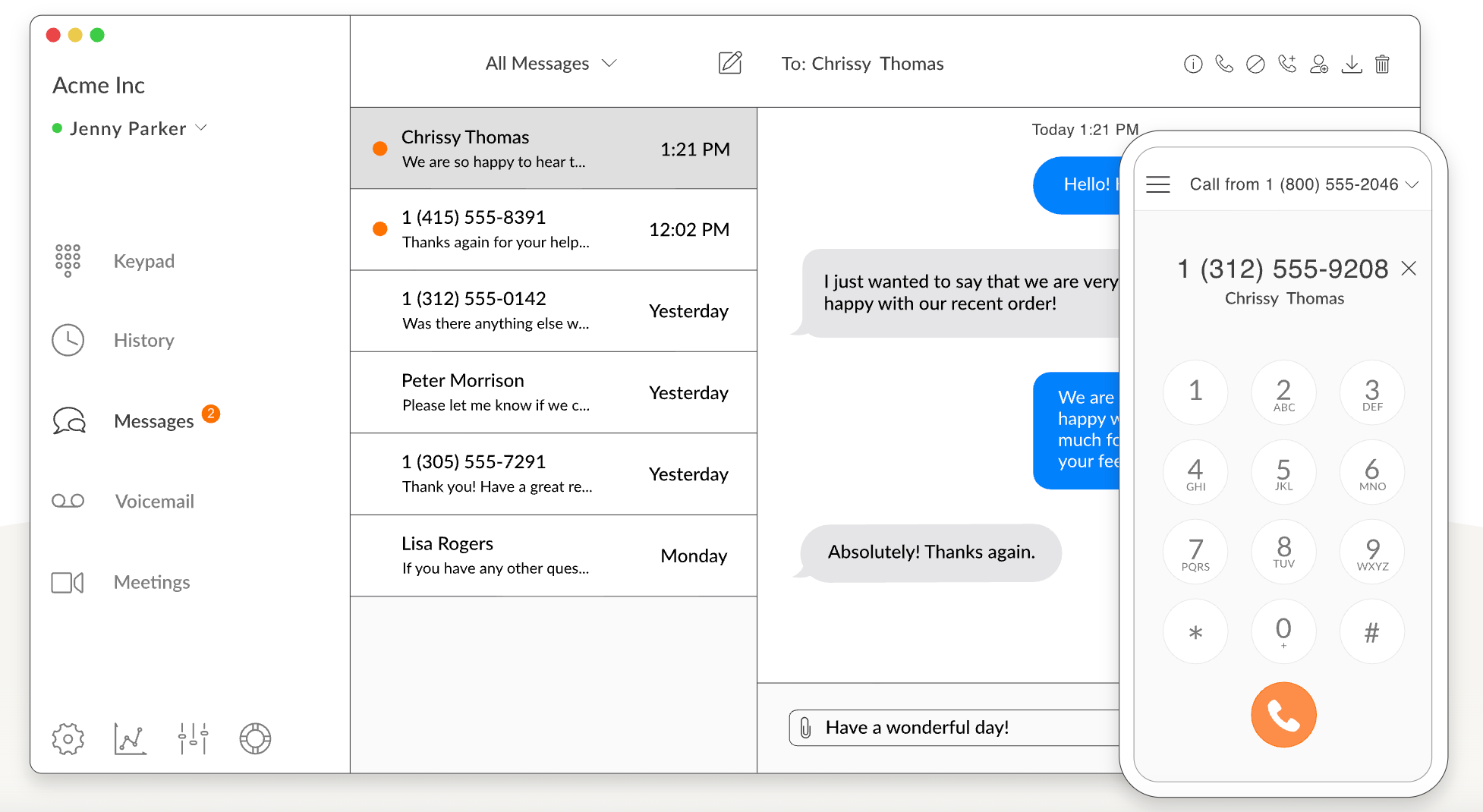
This works well for remote and mobile workers. But because Talkroute is entirely software-based, it doesn’t support SIP desk phones or any physical hardware, as every call runs through an app.
Why the lack of desk phone support matters for physical offices
A five-person insurance agency, a dental practice front desk, or a retail store with a reception area all typically need physical phones that ring when customers call. Talkroute doesn’t support that use case.
Most modern VoIP providers ship pre-configured SIP desk phones that work the moment you plug them into your network. That plug-and-play provisioning eliminates the need for IT staff to manually configure hardware, and it lets office teams answer calls the same way they always have while still getting access to features like visual voicemail, call recording, and CRM screen pops.
If your team splits time between working in an office and remotely, you need a provider that supports both hardware and software. Talkroute only covers half of that equation.
The cost of using fragmented point solutions for collaboration
Talkroute includes video meetings with up to 100 participants on every plan (with screen sharing on Plus and above), and it recently launched an AI receptionist in beta. Those are meaningful additions to what’s been a traditionally basic platform, but it still lacks built-in team chat, native CRM integrations, and advanced analytics.
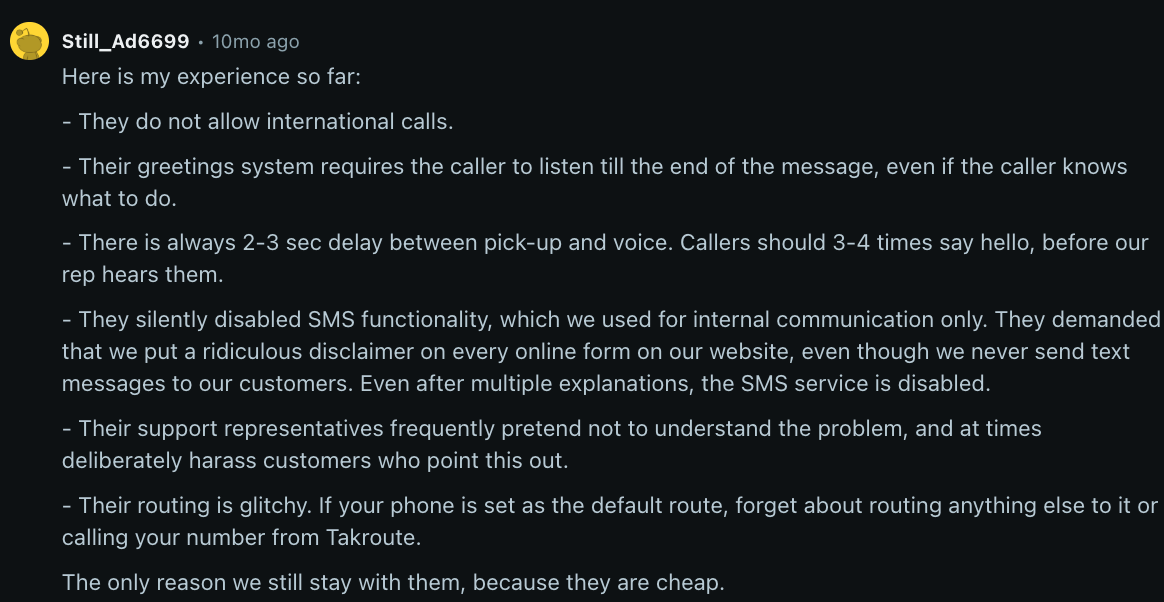
If your team needs internal messaging, CRM call logging through automation, and multi-channel routing alongside a phone system, you’ll need to pay for Talkroute plus a chat tool, a CRM connector, and potentially a separate analytics platform. Each additional tool adds cost, creates another login, and fragments your communication history. Due to this fragmentation, Talkroute is working at a disadvantage compared to modern UCaaS platforms.
Nextiva’s 2025 CX Trends research found that 95% of businesses use multiple tools for customer interactions, averaging 6.3 distinct platforms. Of those, 86% report siloed data, and 81% say operations would improve with a consolidated system of record. That consolidation argument becomes stronger the more tools you’re stitching together.
Key Criteria for Evaluating Virtual Business Phones
When you’re choosing a virtual phone system, it’s essential to know what you actually need (and what you don’t). Here are the key criteria to keep in mind.
Physical hardware compatibility and simple device provisioning
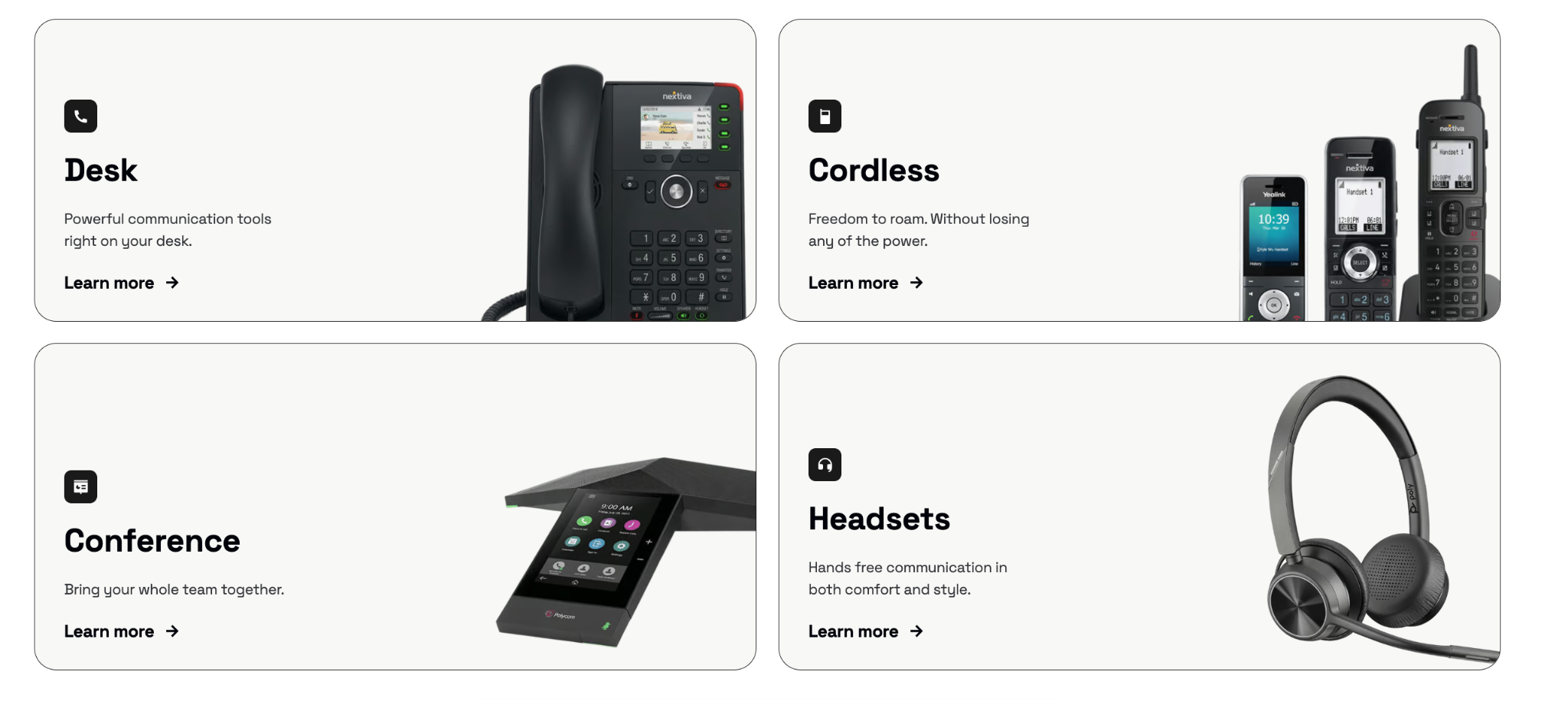
If your business has a physical location, look for providers that support IP desk phones with pre-configured provisioning. This means you order the phone, plug it into your network, and it registers automatically without the need for SIP configuration or IT consultations.
Nextiva supports this across Yealink, Poly, and Cisco hardware alongside its desktop and mobile apps.
Combining calling, text, video, and team chat in one workspace
A unified workspace prevents app fatigue. When your team members can take calls, send texts, join video meetings, and message each other in one application, response times drop and customer history stays in one place.
The Nextiva Customer Patience Benchmark found that 72.3% of customers expect a phone response within five minutes, 85.3% expect the same on website chat, and 73% expect it on text messages. Meeting those expectations gets harder when each channel lives in a different tool, causing your support and sales teams to constantly context switch and risk losing time with every swap.

Advanced routing rules and visual flow builders versus basic menus
Talkroute offers time-based routing, business hours settings, and multi-level auto-attendants, depending on the plan. That covers the basics. But modern platforms go further with visual drag-and-drop call flow builders that let you create conditional routing paths based on caller input, team member availability, or location.
For a business with multiple departments or locations, the difference between a basic menu and a visual flow builder is the difference between “Press 1 for sales” and a system that intelligently distributes calls based on time of day, caller history, and team capacity.

The Top Talkroute Alternatives for Growing Teams
There are plenty of VoIP service providers out there, and the right one depends on your business. A small startup may need different functionality than a massive enterprise, for example.
These five Talkroute competitors have been evaluated on their features, pricing, hardware support, and customer service so you can find the solution that’s right for you.
1. Nextiva: Best overall virtual business phone system

Nextiva is the strongest all-around alternative for businesses that need a full business communications platform with both hardware and software support. Nextiva Business Phone Service starts at $15 per user per month and includes unlimited calling in the U.S. and Canada, SMS, video meetings, and team chat. Users can access the platform via the desktop app, the mobile app, or a web browser, and Nextiva also supports direct provisioning for physical IP desk phones from brands like Yealink, Poly, and Cisco.
The platform includes a visual drag-and-drop call routing builder, auto-attendants, voicemail transcription in near real time, and team chat for every plan. The network also operates across eight points of presence and strives for 99.999% uptime, which translates to less than six minutes of downtime per year. Nextiva is SOC 2 certified, HIPAA compliant, and PCI DSS certified. Support is available 24/7 through phone, chat, and email on every plan.
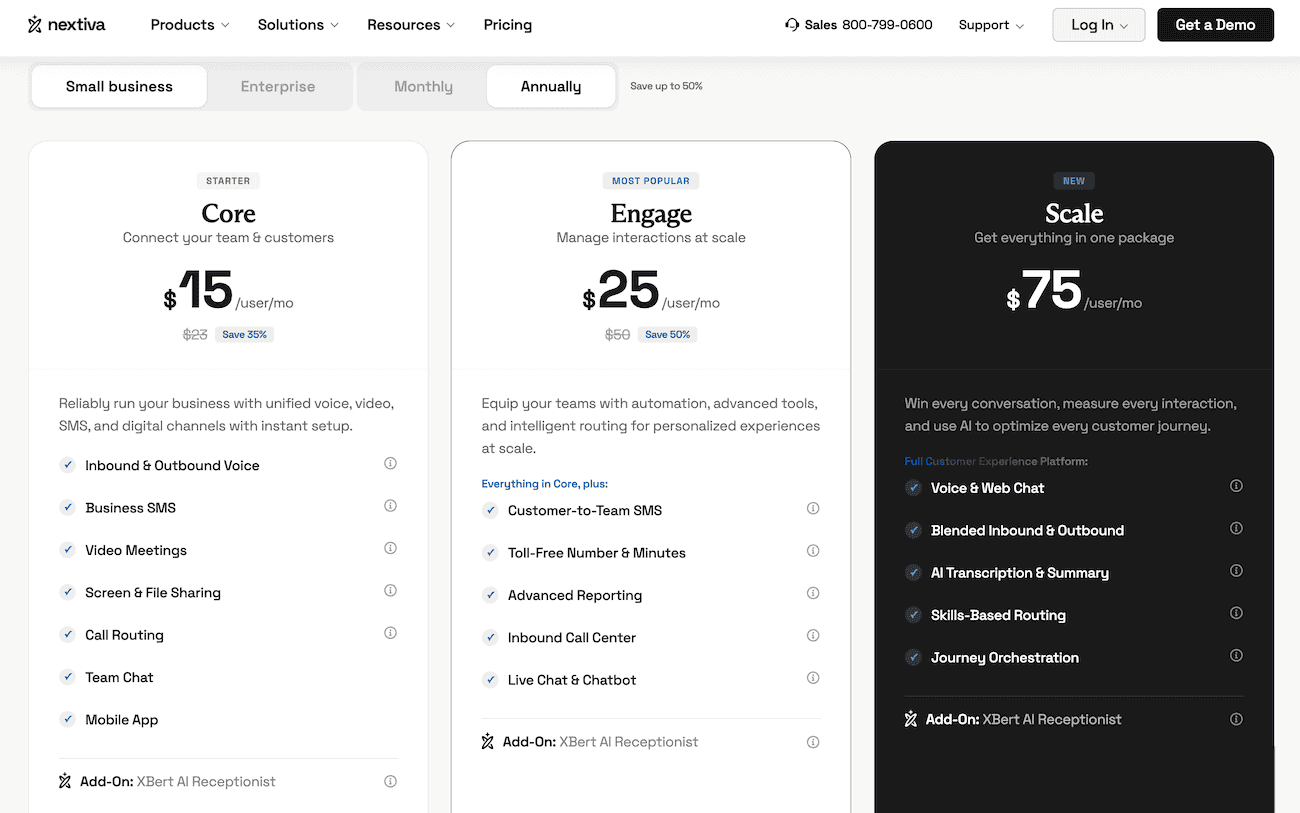
For context, a 10-person team on Nextiva would pay $150 per month, with unlimited calling, desk phone support, video meetings, team chat, and CRM integrations included. The same team on Talkroute’s Pro plan would pay $59 per month but would get no desk phone support, no native CRM integrations, and no team chat. The $91 difference buys a meaningfully more capable system. Whether that capability matters depends on how your team works.
Nextiva also offers an omnichannel Contact Center platform with journey orchestration, AI-powered features, and more for those who have call center needs.
Pricing: Starts at $15 per user per month.
2. Grasshopper: Best flat-rate alternative for solopreneurs

Grasshopper operates similarly to Talkroute. It’s a virtual phone number with call forwarding, business texting, and apps for desktop and mobile. If you’re choosing between the two for solo use, Grasshopper is a worthy competitor.
Key features include an auto-attendant, virtual fax, business texting, and custom voicemail greetings. The limitations mirror Talkroute’s, however. There’s no physical desk phone support, video conferencing, team chat, or third-party CRM integrations. Grasshopper is a virtual number service with forwarding.
As a result, it can be well-suited to solopreneurs and freelancers who need a business number on their cell phone and don’t want to purchase another device. Teams that need anything more will outgrow it quickly.
Pricing: Starts at $14 per month (True Solo). Solo Plus is $25 per month with unlimited users.
3. Ooma Office: Best for physical offices needing desk phones

Ooma Office targets small businesses with physical locations, and it does a good job of bridging the gap between traditional phone systems and modern VoIP. Ooma supports IP desk phones (including its own pre-provisioned hardware) and analog phones using an adapter. Key features include a virtual receptionist, ring groups, extension-to-extension dialing, and unlimited calling in the U.S., Canada, Mexico, and Puerto Rico.
The trade-off is feature gating:
- The desktop app, call recording, and video conferencing are only available on the Pro plan at $24.95 per user per month.
- CRM integrations require the Pro Plus at $29.95 per user per month.
- For a five-person office that needs call recording and desktop softphone access, the real cost is $124.75 per month on the Pro plan, not the $99.75 you’d calculate from the Essentials price.
Ooma is a solid choice for brick-and-mortar businesses that want physical phones and clear voice quality without enterprise complexity. It’s less suited to remote teams or businesses that need unified communications across multiple channels.
Pricing: Essentials starts at $19.95 per user per month. Pro is $24.95, and Pro Plus is $29.95.
4. Zoom Phone: Best pay-as-you-go option for low-volume calling

Zoom Phone extends the Zoom video platform to cloud calling. If your team already lives in Zoom for meetings, adding phone service to the same app can make things simpler and address the fragmentation challenge we discussed earlier.
Key features include IVR routing, call recording, warm transfers, voicemail transcription, and basic SMS. Zoom Phone supports physical IP desk phones and integrates directly with Zoom’s video workspace.
Zoom Phone works well as an add-on for teams already in the Zoom ecosystem. As a standalone phone platform for teams that aren’t already using Zoom, it lacks the depth of purpose-built providers. Enhanced queue analytics and insights require paid add-ons like the $25 per user per month Customer Engagement Pack.
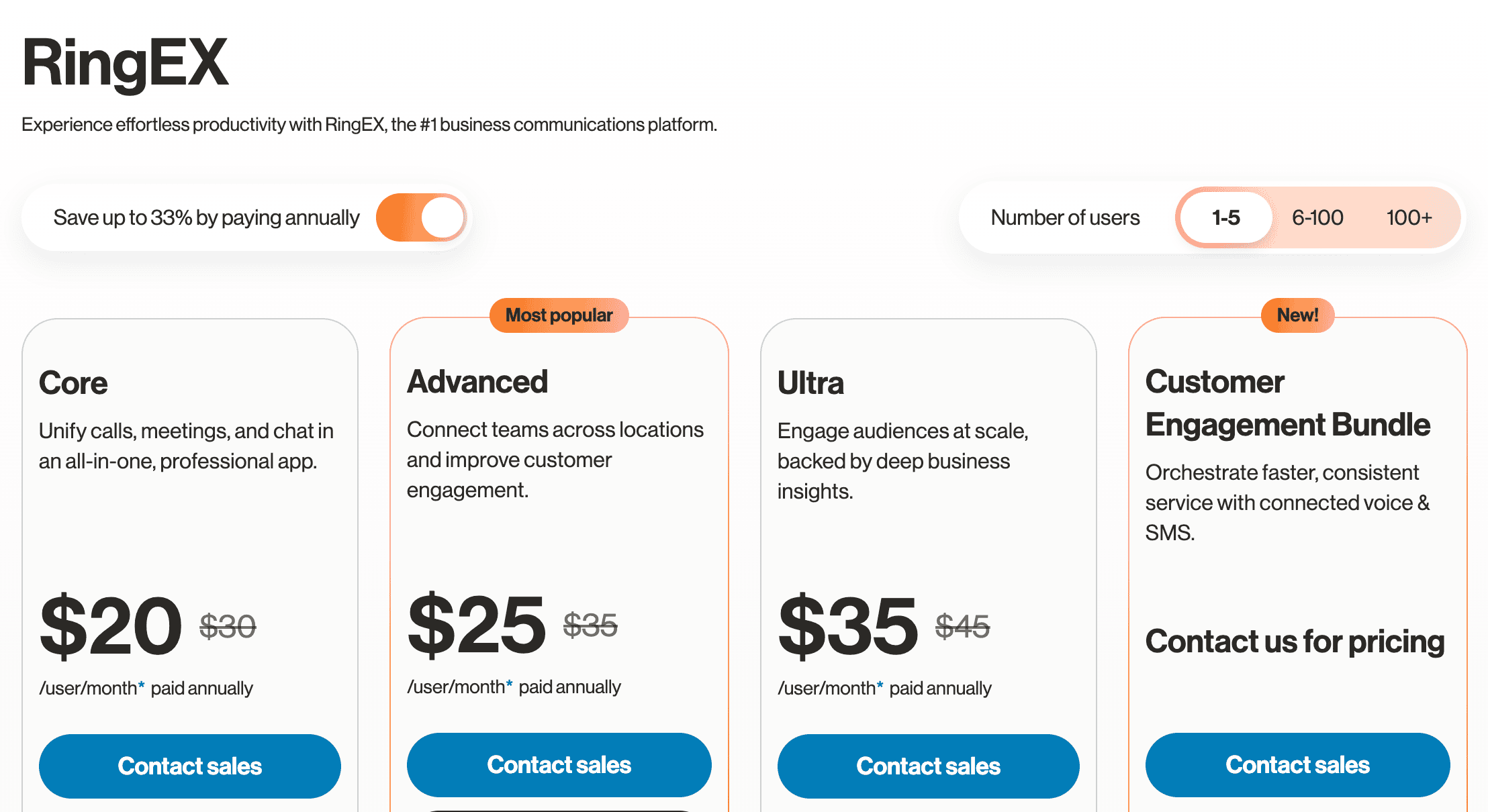
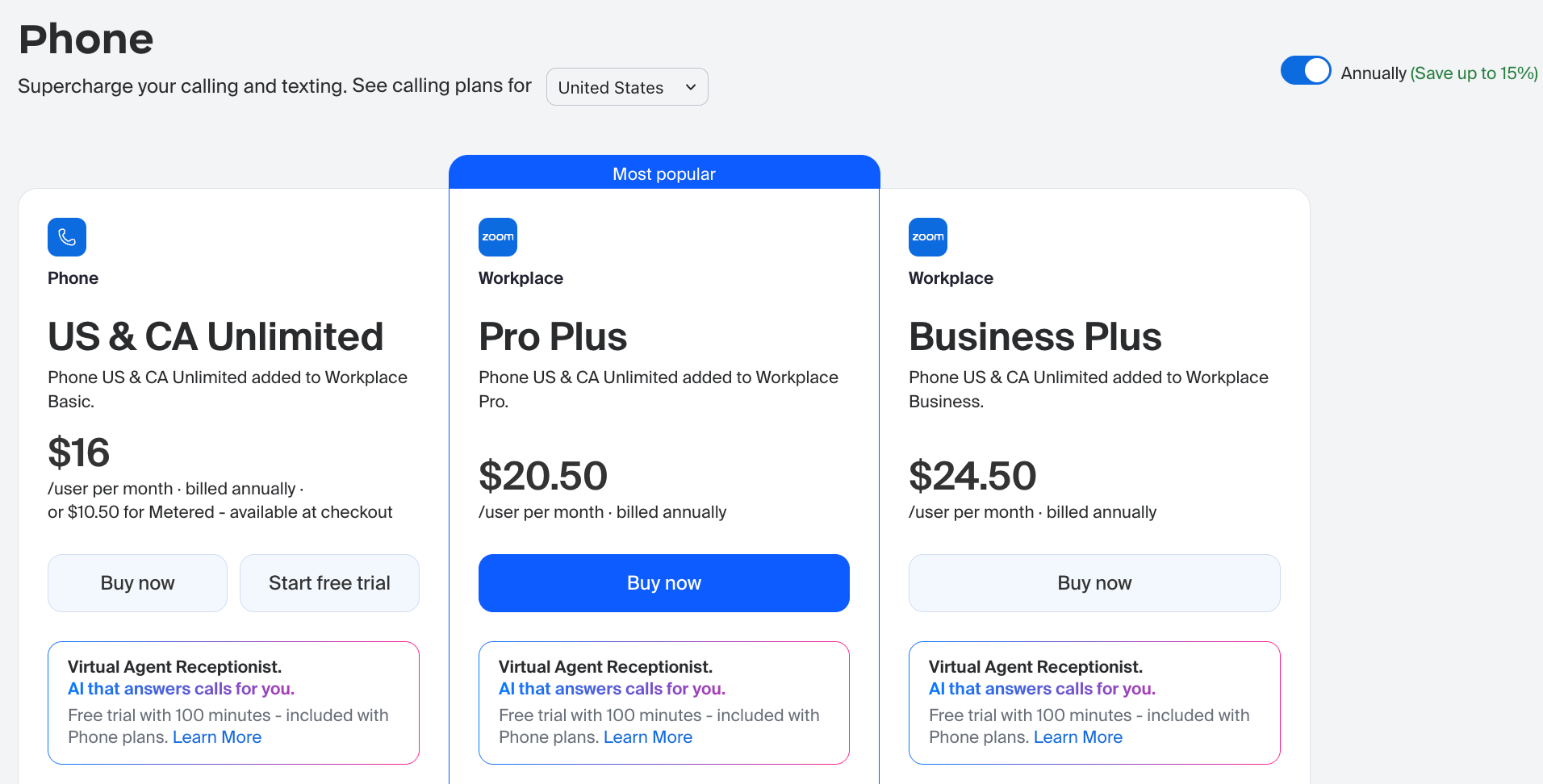
Pricing: The metered plan starts at $10.50 per user per month. Unlimited calling starts at $16 per user per month.
5. Phone.com: Best metered option for very low call volume

Phone.com offers virtual phone services with unlimited pricing. It supports physical IP desk phones and mobile calling, and it includes HIPAA-compliant options for healthcare practices.
Key features include an auto-attendant and video conferencing. But call recording costs extra on lower tiers, and the user interface feels dated compared to newer platforms.
Phone.com makes sense for businesses with minimal call volume, like a consulting firm that takes a handful of calls with limited features and requires premium add-ons.
Pricing: Basic starts at $15 per user per month (annual billing). Plus is $22.50 per user per month. Pro is $33.33 per user per month.
Comparing Talkroute Alternatives Side by Side
Here’s how the five top alternatives stack up across pricing, features, hardware support, and customer service so you can deliver an exceptional customer communication experience.
| Feature | Nextiva | Grasshopper | Ooma Office | Zoom Phone | Phone.com |
|---|---|---|---|---|---|
| Starting price | $15/user/mo | $14/mo (flat) | $19.95/user/mo | $10.50/user/mo | $15/user/mo |
| Calling | Unlimited U.S./CA | Unlimited U.S./CA | Unlimited U.S./CA/MX/PR | Metered or unlimited | Unlimited |
| Desk phone support | Yes | No | Yes | Yes | Yes |
| Mobile app | Yes | Yes | Yes | Yes | Yes |
| Desktop app | Yes | Yes | Pro tier and up | Yes | Yes |
| Video conferencing | Yes | No | Pro tier and up | Yes (via Zoom) | Yes |
| Team chat | Yes | No | Yes, Pro Plus only | Via Zoom | No |
| CRM integrations | Yes | No | Pro Plus only | Select integrations | Pro tier only |
| Visual call routing | Yes | No | No | Higher tiers | Pro tier only |
| Support channels | 24/7 phone, chat, email | 24/7 phone, chat | 24/7 phone, chat | Chat, phone (paid tiers) | Phone, chat, email |
A few things stand out in this comparison:
- Hidden fees vary widely: Many virtual phone systems charge extra for toll-free numbers, activation, or number porting. Nextiva includes free number porting and guided setup on every plan.
- Feature access depends on tier: Several competitors lock voicemail transcription, visual call routing, or CRM integrations behind higher-priced plans. Nextiva includes these on every tier.
- Support availability differs significantly: Some providers restrict phone support to premium plans or limit hours to weekdays only. Nextiva offers 24/7 support via phone, chat, and email on every plan, regardless of tier.
Choosing a Phone System That Scales With Your Business
Talkroute’s flat-rate pricing and clean interface make it a strong option for remote teams and micro-businesses that work entirely from apps. The included video meetings, AI receptionist beta, and unlimited calling give you a solid feature set at a competitive price.
Where Talkroute falls short is in the areas that matter most as teams grow: no IP desk phone support, no native CRM integrations, no international calling, no built-in team chat, and call recording only on the $59 Pro plan. If you run a physical office or need your phone system to connect with the rest of your tech stack, those gaps add up.
The alternatives in this guide each fill specific needs:
- Grasshopper is a comparable virtual number service with flat-rate simplicity.
- Ooma gives you desk phone support for physical offices.
- Zoom Phone offers a low entry price for teams already on Zoom.
- Phone.com provides calling plans for very light call volume.
Ultimately, Nextiva covers the most ground. It combines unlimited calling, desk phone provisioning, visual call routing, video meetings, team chat, and CRM integrations in a single platform starting at $15 per user per month. Customer support is available 24/7, number porting is free during onboarding, and the network runs on eight redundant data centers and strives for 99.999% uptime.
If you’ve outgrown what a virtual phone system can offer and need a platform that works in the office, on the road, and across your full tech stack, it’s worth doing a comparison.
See how Nextiva can replace your Talkroute setup today.
Get the best business phone service for less.
Simplify team communication with the top-rated phone system for small businesses. Save hundreds over landlines.
Frequently Asked Questions About Talkroute Alternatives
For VoIP calling through the desktop and web apps, an internet connection is required. Talkroute also supports PSTN calling and call forwarding to cell phones and landlines, which don’t depend on an internet connection. This hybrid approach differs from pure VoIP platforms like Nextiva, which route all calls over the internet and offer broader feature sets as a result.
No, Talkroute is a software-only platform that works through desktop, mobile, and web apps. It does not support IP desk phones or physical hardware. If your office needs physical phones, Nextiva provides plug-and-play desk phones from brands like Yealink, Poly, and Cisco, with pre-configured provisioning and free professional setup included.
Zoom Phone starts at $10.50 per user per month, but that plan charges per-minute rates for outbound calls, so costs rise with usage. For unlimited nationwide calling with predictable billing, Nextiva starts at $15 per user per month.
Both Grasshopper and Talkroute specialize in providing virtual business numbers with call forwarding to personal devices. They can work for small business owners and entrepreneurs who want to field business calls but don’t want to purchase new devices.
Grasshopper offers flat-rate plans, while Talkroute has tiered user caps. Talkroute includes video meetings and has more routing flexibility on higher tiers, giving it an edge over Grasshopper for small teams. Neither supports desk phones nor native CRM integrations.
For teams that need hardware support, unified messaging, or visual call routing, Nextiva is a more scalable alternative.
Yes, you can keep your business phone number when switching providers. Federal rules protect your right to port your existing number to a new carrier. Nextiva handles the entire number porting process for free and manages the timeline so there’s no gap in service. Keep your current Talkroute account active until the port completes to avoid losing your number.
The post 5 Top Talkroute Alternatives for Business Phone Systems appeared first on Nextiva Blog.